

I used to hear the phrase “marketing automation software” and immediately think it was for big companies with teams, dashboards, sales reps, and budgets I did not have.
As a blogger, I was more focused on the basics: writing posts, learning SEO, testing Pinterest, trying new AI tools, checking analytics, and wondering why some people online seemed to turn simple content into serious monthly income while I was still trying to connect all the pieces.
But the more I studied how successful bloggers, creators, and small online businesses work, the more I realized something important:
Marketing automation is not only for big businesses.
At a simple level, marketing automation is just a way to make your website, email list, content, tools, and offers work together without you manually doing every tiny task.
That could mean sending a welcome email when someone downloads your freebie. It could mean tagging subscribers based on what they clicked. It could mean sending a different email to someone interested in Pinterest than someone interested in AI writing tools. It could mean saving leads in a CRM, posting content automatically, following up after someone joins a waitlist, or sending your best resource to the right person at the right time.
And honestly, this is one of those “blogging guru” secrets that sounds boring until you understand it.
A lot of high-earning bloggers are not just writing more than everyone else. They have systems. Their blog posts lead to landing pages. Their landing pages lead to email sequences. Their email sequences lead to offers. Their tools help them follow up, segment, track, and reuse content.
I have not reached that huge “six figures monthly” level myself, and I do not want to pretend I have. But I love studying the tools, shortcuts, and systems that make building an online business easier — especially for people who are where I was years ago, trying to grow without wasting money on the wrong software.
So this guide is written from that perspective: a blogger searching for smart, low-cost marketing automation software that can help build a calmer, more organized business.
Quick Answer: What Is the Best Marketing Automation Software?
The best marketing automation software depends on what you need right now. A beginner blogger does not need the same tool as an ecommerce store, a SaaS company, or a business with a sales team.
| Your goal | Best type of software | Good examples |
|---|---|---|
| Start email automation cheaply | Email marketing platform with basic automations | MailerLite, Brevo, Kit |
| Build creator funnels | Creator-focused email and selling platform | Kit, Systeme.io |
| Manage leads and contacts | CRM with marketing automation | HubSpot, Brevo, ActiveCampaign |
| Create advanced automations | Workflow automation tool | Zapier, Make, n8n |
| Run ecommerce marketing | Ecommerce automation platform | Omnisend, Klaviyo, Mailchimp |
| Automate WordPress marketing | WordPress automation or CRM plugin | FluentCRM, Uncanny Automator, WP Fusion |
If I were starting a blog business today on a tight budget, I would not begin with the most advanced software.
I would start with:
- A simple email marketing tool
- One lead magnet
- One welcome sequence
- One landing page
- A basic tagging system
- Internal links from relevant blog posts
Then I would upgrade only when I know exactly what needs to be automated.
That last sentence matters. The goal is not to automate chaos. The goal is to create a simple system first, then automate the parts that repeat.
What Is Marketing Automation Software?
Marketing automation software helps you automate repetitive marketing tasks and customer journeys. Depending on the platform, it may handle email sequences, audience segmentation, lead forms, CRM updates, SMS messages, landing pages, sales funnels, social posting, analytics, and workflow triggers.
For example, Mailchimp explains that its Customer Journey feature is a marketing automation tool that lets you visually map automated paths for customers, while its automation flows can add tags, send targeted emails, and accomplish other tasks automatically. You can read more on Mailchimp’s official pages about Customer Journeys and creating marketing automation flows.
HubSpot describes its marketing automation software as a way to set marketing campaigns on autopilot using CRM data, while Brevo describes its automation tool as a way to personalize customer journeys and scale marketing efforts. You can compare their official pages here: HubSpot marketing automation and Brevo marketing automation.
But let me translate that into blogger language.
Marketing automation software helps your website say the right thing to the right person without you manually sending every message yourself.
For bloggers, that might look like:
- Someone downloads your free AI prompts → they get a welcome sequence
- Someone clicks a Pinterest article → they get tagged as interested in Pinterest
- Someone joins a digital product waitlist → they receive launch emails
- Someone buys a template → they receive onboarding emails
- Someone visits your contact form → their information goes into a CRM
- Someone reads your AI SEO content → they are invited to your SEO checklist
This is where automation becomes useful. It gives your blog a memory.
Why Bloggers Should Care About Marketing Automation
Most bloggers start by chasing traffic.
I did too. Traffic feels like the obvious problem. You think, “If I just get more people to my site, everything will work.”
But traffic alone does not build a business.
A visitor may read one post and leave forever. A Pinterest click may disappear. A Google visitor may never remember your site name. A person interested in your freebie may not buy anything for months.
Marketing automation helps you build a bridge between one visit and a relationship.
It can help you:
- Turn readers into subscribers
- Welcome new people automatically
- Send helpful resources based on interest
- Promote affiliate tools naturally
- Launch digital products with less manual work
- Follow up with leads
- Organize subscribers by topic
- Save time on repetitive tasks
If you already have content around how to monetize your blog from day one, lead magnet ideas, and digital product ideas for bloggers, marketing automation is the system that connects those ideas together.
It is not glamorous, but it is powerful.
Marketing Automation Software vs Email Marketing Software
This is where beginners often get confused.
Email marketing software lets you send emails to your list. Marketing automation software usually does more. It can trigger actions based on behavior, segment people, connect forms to workflows, update contacts, send different paths, and sometimes connect email, SMS, ads, CRM, chat, and sales pages.
| Tool type | What it usually does | Best for |
|---|---|---|
| Email marketing software | Broadcasts, newsletters, basic sequences | Starting an email list |
| Marketing automation software | Workflows, tags, triggers, lead journeys, CRM actions | Building a business system |
| Workflow automation software | Connects different apps together | Automating tasks across tools |
| CRM software | Stores and manages leads, contacts, and customer data | Sales, services, client work, lead tracking |
You do not always need all of them at once.
A simple blogger may only need email automation at first. A creator selling templates may need email plus landing pages. A service provider may need email plus CRM. A content business with many tools may need workflow automation too.
If your main interest is email strategy, I already have an article on email marketing strategy tips. This article is wider: it is about choosing the software layer that helps your marketing run more smoothly.
Best Marketing Automation Software for Bloggers and Small Businesses
Before we compare tools, a gentle warning: pricing, free plans, and feature limits change often. Always check the official pricing page before committing.
Also, do not choose software just because it has the most features. Choose the tool that matches your current business model.
1. HubSpot: Best for CRM-Based Marketing Automation
HubSpot is one of the best-known platforms for businesses that want CRM, marketing, sales, and customer tools connected in one place. Its free CRM page says HubSpot’s CRM is free, while its marketing automation product page focuses on building campaigns powered by CRM data. You can explore HubSpot’s free CRM tools and HubSpot marketing automation software.
HubSpot can be useful for bloggers who are becoming small business owners.
It may fit if you:
- Offer services or consulting
- Collect leads from forms
- Want a CRM connected to marketing
- Need landing pages, forms, emails, and contact records
- Want a tool that can grow with you
The upside is that HubSpot can organize your business around contacts, not just subscribers. That is helpful if you do more than publish posts.
The downside is that HubSpot can become expensive as your needs grow, especially if you need advanced marketing automation features. It is powerful, but not always the cheapest path for a simple blogger.
My blogger take: HubSpot is great if your blog is turning into a service business, agency, coaching business, or lead-generation site. If all you need is a simple welcome email, it may be more than you need right now.
2. Brevo: Best Budget-Friendly Multi-Channel Automation
Brevo is attractive because it combines email marketing, automation, CRM features, SMS, WhatsApp, live chat, and other communication tools. Its pricing page currently describes a free plan, and Brevo’s help center says the Free plan starts at $0 per month and includes 300 daily email sends. You can check Brevo pricing and the official help article on Brevo’s pricing plans.
Brevo can be useful if you want a low-cost platform that can handle more than newsletters.
It may fit if you:
- Want email automation without high starting costs
- Like the idea of CRM plus email
- Need transactional emails later
- Want SMS or WhatsApp options in the future
- Care about keeping contact costs manageable
The downside is that some advanced features may sit behind paid plans, and the platform may feel more business-oriented than creator-personality-focused.
My blogger take: Brevo is one of the tools I would seriously compare if I wanted budget-friendly marketing automation without jumping into expensive software too early.
3. MailerLite: Best Simple Email Automation for Budget Bloggers
MailerLite is popular with bloggers because it is clean, beginner-friendly, and not as overwhelming as some larger platforms. Its official pricing page says the Free plan includes up to 250 subscribers, 2,500 monthly emails, campaigns, automations, a website, a landing page, and signup forms. You can check MailerLite pricing and the MailerLite free plan.
MailerLite can be a strong fit if your marketing automation needs are simple:
- Welcome sequence
- Lead magnet delivery
- Newsletter signup forms
- Basic segmentation
- Simple landing pages
It may not be the deepest automation platform for advanced sales teams, but that is not what most bloggers need in the beginning.
My blogger take: MailerLite is a smart starting point if you want a simple, low-cost email automation setup without feeling like you enrolled in a software engineering course.
4. Kit: Best for Creators Who Want Email + Selling
Kit, formerly ConvertKit, is built for creators. Its homepage describes it as an email marketing platform for creators who mean business and mentions a 14-day free trial. You can view the official site at Kit.
Kit is often attractive to bloggers, newsletter writers, creators, and digital product sellers because it is designed around audience building and creator monetization.
It may fit if you:
- Want to grow an email list
- Sell digital products
- Use forms and landing pages
- Need creator-friendly tagging
- Want simple automations without enterprise complexity
Where I would be careful: automation depth, pricing, and plan limits matter. Always check what automations are available on your chosen plan before moving your list.
My blogger take: Kit makes sense if you see yourself as a creator, not just a website owner. It is especially interesting if your long-term plan includes newsletters, digital products, and affiliate campaigns.
If you are building toward that model, you may also like my guides on creating an ebook with AI, mini course generators, and how to create a course with AI.
5. ActiveCampaign: Best for More Advanced Email and Customer Journeys
ActiveCampaign is known for stronger automation features than many beginner email tools. Its pricing page lists plans and highlights multi-step marketing automation on its Starter plan. You can check the current details on ActiveCampaign pricing.
It may fit if you:
- Need more advanced workflows
- Want behavior-based email automation
- Need lead scoring or CRM-style features
- Run several offers or funnels
- Want a tool that can handle complex customer paths
The downside is that it can be more complex and more expensive than beginner tools. If you only have 100 subscribers and one freebie, you probably do not need a powerful automation platform yet.
My blogger take: ActiveCampaign is more attractive when your list, offers, and audience segments are already becoming complex. I would not use it just to feel advanced.
6. Mailchimp: Best Familiar Option for Email and Customer Journeys
Mailchimp is one of the most recognized email marketing platforms. It offers marketing automation flows and customer journeys that let you visually map automated paths for contacts. Mailchimp’s official help center says automation flows can add tags, send targeted emails, and complete important tasks automatically. You can read about creating Mailchimp marketing automation flows.
Mailchimp may fit if you:
- Want a familiar email marketing brand
- Need basic customer journeys
- Like visual campaign tools
- Want email plus marketing features
The downside is that free and lower-tier limits can feel restrictive depending on your list size and automation needs. Pricing should be checked carefully before choosing it as your long-term home.
My blogger take: Mailchimp is not a bad choice, but I would compare it closely against MailerLite, Brevo, and Kit before deciding. For a blogger, the cheapest-looking tool is not always the cheapest once you need automation.
7. Omnisend: Best for Ecommerce Marketing Automation
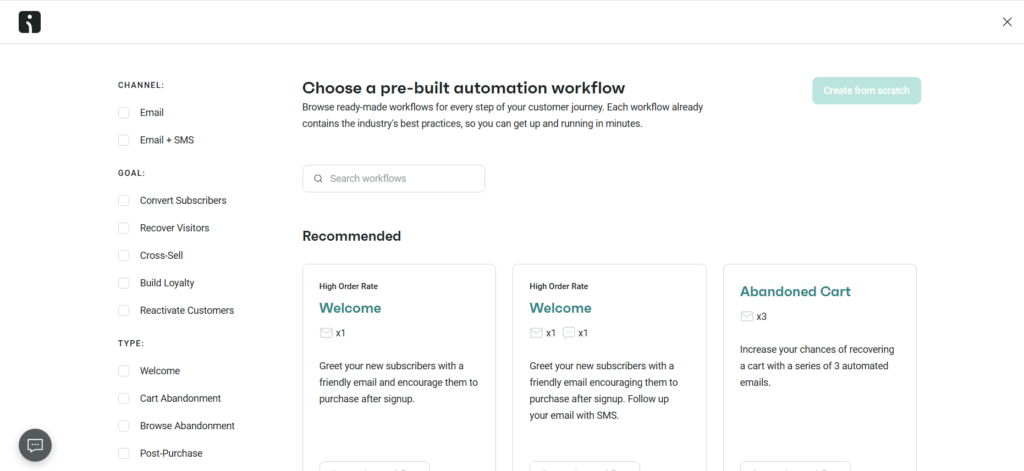
Omnisend is more ecommerce-focused than a general blogger tool. It is built around email and SMS marketing automation for online stores. Its official site says it helps ecommerce businesses use email and SMS marketing, and its pricing page lists a free plan along with paid plans. You can check Omnisend and Omnisend pricing.
It may fit if you:
- Run a Shopify or WooCommerce store
- Sell physical or digital products
- Need abandoned cart emails
- Want product recommendations
- Use email and SMS for ecommerce campaigns
For a pure content blog, it may be too ecommerce-specific. But if your blog grows into a shop or digital product business, it becomes more interesting.
My blogger take: Omnisend is not my first pick for a basic blog newsletter. But if you sell products and need ecommerce automations, it deserves a look.
8. Zapier: Best for Connecting Your Marketing Tools
Zapier is not traditional marketing automation software. It is workflow automation software that connects different apps together. For example, it can connect forms, spreadsheets, email tools, CRMs, social platforms, and project management tools.
You already have related articles on Zapier free alternatives, Zapier vs n8n, and Zapier AI workflows, so I will keep this section focused on how it fits into marketing automation.
Zapier is useful when your marketing tools do not talk to each other.
For example:
- New form submission → add contact to email platform
- New purchase → add buyer to a spreadsheet
- New lead → send Slack or Gmail notification
- New blog post → create social media tasks
- New subscriber → tag based on lead magnet
My blogger take: Zapier is useful after you know your workflow. Do not automate random things. Automate the repeated steps that save time or prevent missed opportunities.
9. Make and n8n: Best for Flexible Workflow Automation
Make and n8n are alternatives for people who want more visual or flexible workflow automation. They are especially useful when you want to connect tools, move data, and build custom automations beyond basic email sequences.
If you are interested in this side, your existing Zapier vs n8n article can support this topic nicely.
Use workflow automation tools when you need to connect things like:
- WordPress
- Email marketing software
- Google Sheets
- Notion
- AI writing tools
- Social media schedulers
- CRM platforms
My blogger take: These tools are powerful, but they can also become a rabbit hole. If you spend more time building automations than publishing, selling, or improving your site, you may be overcomplicating it.
10. WordPress-Based Automation Tools: Best If You Want to Stay Inside WordPress
Some bloggers prefer to keep more of their marketing system inside WordPress. This can include tools for email automation, CRM, funnels, forms, memberships, and internal workflows.
Since you already have content around WordPress automation, WordPress workflow automation, WordPress email automation, and WordPress marketing automation, I will not turn this article into another WordPress-only guide.
The quick point is this: WordPress-based automation can be helpful if you want more control and fewer external subscriptions, but it also means you need to think about hosting, deliverability, performance, and maintenance.
My blogger take: Staying inside WordPress can save money, but it can also increase responsibility. I like it for people who are comfortable managing their site carefully.
Marketing Automation Software Comparison Table
| Software | Best for | Budget angle | Best blogger use case |
|---|---|---|---|
| HubSpot | CRM-based marketing | Free CRM, paid advanced marketing | Service-based blog or lead generation site |
| Brevo | Email, CRM, SMS, multi-channel marketing | Free plan available | Budget-friendly email automation |
| MailerLite | Simple email automation | Free plan with subscriber/email limits | Beginner blogger welcome sequences |
| Kit | Creators and digital products | Trial/free options vary by plan | Newsletter + product funnel |
| ActiveCampaign | Advanced customer journeys | Paid plans, more power | Growing list with multiple funnels |
| Mailchimp | Email and customer journeys | Free/paid tiers with limits | Basic automation with familiar interface |
| Omnisend | Ecommerce automation | Free and paid plans | Blog with shop or WooCommerce store |
| Zapier | Connecting apps | Free and paid task-based plans | Move leads/data between tools |
| Make / n8n | Flexible workflows | Can be cost-effective but more technical | Custom automations for advanced bloggers |
The Simple Marketing Automation System I Would Build First
If I were advising someone like me years ago — someone with a blog, a small budget, and a big desire to build something real — I would not tell her to buy ten tools.
I would tell her to build this first:
Step 1: Choose one clear audience path
Pick one type of reader.
Example:
- A blogger who wants AI writing help
- A beginner who wants more Pinterest traffic
- A creator who wants digital product ideas
- A small business owner who wants automation tools
Guide visitors from confusion to action
Your audience does not only need articles. They need a clear path: find the problem, get help, choose the right tool, and take the next step.
They arrive with a problem
Your visitor is usually not browsing randomly. They want help with traffic, AI tools, monetization, automation, email growth, or building something faster.
“I know I need to grow, but I do not know what to focus on first.”
A clear entry point, simple categories, and articles grouped by audience goals.
Send them to a focused guide, comparison, checklist, or start-here page.
Choose the visitor’s main need
Click one need to see the simplest content path your website should offer.
Traffic path
Give them SEO guides, Pinterest strategy, content planning, keyword tools, and a traffic checklist. Then guide them toward monetization once they understand traffic.
The simple rule
Every article should answer one audience need and then offer one clear next step. Do not let visitors finish an article and wonder, “What should I do now?”
Step 2: Create one helpful lead magnet
Make something specific, not vague.
Examples:
- AI blog post checklist
- Pinterest SEO starter guide
- Digital product idea tracker
- Blog monetization roadmap
- AI tool comparison spreadsheet
If you need ideas, start with lead magnet ideas for bloggers or build a simple resource with a PDF lead magnet.
Step 3: Build one landing page
Your landing page should explain what the freebie is, who it is for, and why it helps.
If you are testing low-cost tools, you may like articles on WordPress landing page builders or free AI landing page generators.
Step 4: Create one welcome sequence
Your first automation does not need to be complicated.
Start with 4 emails:
- Email 1: Deliver the freebie and set expectations
- Email 2: Share your story and best related guide
- Email 3: Teach one practical tip
- Email 4: Recommend a useful tool, product, or next step
This is already more of a business system than publishing posts and hoping.
Step 5: Add one tag or segment
Tag people based on what they downloaded.
Example:
- Interest: AI Writing
- Interest: SEO
- Interest: Pinterest
- Interest: WordPress
- Interest: Monetization
- Interest: Digital Products
This lets you send more relevant emails later instead of blasting everyone with the same message forever.
Step 6: Link from relevant articles
This is the part many bloggers forget.
Do not create a lead magnet and hide it.
If your freebie is about AI writing, link to it from AI blog writing, best AI writing tools, and ChatGPT prompts for blog posts.
If your freebie is about Pinterest, link to it from Pinterest SEO, Pinterest marketing strategy, and Pinterest automation tools.
Google recommends writing descriptive, relevant anchor text that helps users and search engines understand where a link goes. You can read Google’s official guidance on SEO link best practices.
Marketing Automation Workflows Bloggers Can Actually Use
Here are practical automations I would use before getting fancy.
1. Lead magnet delivery workflow
Trigger: Someone fills out a form.
Automation: Send the freebie, tag the subscriber, add them to a welcome sequence.
This is the first automation most bloggers need.
2. Topic-based welcome sequence
Trigger: Subscriber joins from a specific freebie.
Automation: Send emails related to that topic.
For example, someone who downloads an SEO checklist should receive different content than someone who downloads a Pinterest checklist.
3. Affiliate product follow-up
Trigger: Subscriber clicks a tool comparison link.
Automation: Send a helpful follow-up with a guide, tutorial, or honest comparison.
This works well with articles like affiliate marketing tools or AI affiliate marketing.
4. Digital product launch waitlist
Trigger: Someone joins a waitlist.
Automation: Send a welcome email, behind-the-scenes updates, launch reminder, and closing reminder.
This can support ebooks, templates, mini-courses, or resource bundles.
5. Re-engagement sequence
Trigger: Subscriber has not opened or clicked in a while.
Automation: Send a gentle check-in and ask what they want help with.
This keeps your list healthier and more human.
6. Content repurposing workflow
Trigger: New blog post published.
Automation: Create social media tasks, Pinterest pin tasks, newsletter draft tasks, or short video ideas.
If this interests you, check your existing articles on free AI social media post generator tools, turning a blog post to video, and YouTube Shorts AI generators.
Where Marketing Automation Can Go Wrong
Marketing automation sounds powerful because it is. But it can also create a mess if you set it up without a plan.
Mistake 1: Automating before you understand the reader
You cannot automate empathy you do not have.
Before building a long funnel, ask:
- What problem brought this person to my site?
- What do they need next?
- What would feel helpful, not pushy?
- What can I genuinely recommend?
Mistake 2: Creating too many tags
Tags are useful until they become chaos.
Do not create tags like:
- Clicked-blue-button-June
- Maybe-interested-in-AI-sort-of
- Downloaded-old-freebie-v2-final-final
Start with broad, useful tags:
- AI Writing
- SEO
- WordPress
- Monetization
- Digital Products
Mistake 3: Sending too many emails
Automation should not mean annoying people faster.
A good automation feels like a helpful sequence. A bad one feels like a robot chasing someone down the street.
Mistake 4: Buying expensive tools too early
I know the feeling. A tool promises beautiful dashboards, AI-powered workflows, segmentation, sales funnels, CRM, predictive analytics, and suddenly, you feel like this is the missing piece.
Maybe it is. But maybe you only need a welcome sequence.
Buy based on the workflow you need today and the next realistic step, not the fantasy version of your business.
Mistake 5: Forgetting the content itself
Automation cannot save weak content. It can only move people through what you already built.
Google’s guidance says its ranking systems prioritize helpful, reliable information created to benefit people, not content made primarily to manipulate search rankings. That is a useful reminder for automation too: the system should support helpful content, not cover up a weak strategy. You can read the official guidance on creating helpful, reliable, people-first content.
How to Choose the Right Marketing Automation Software

Here is the decision process I would use.
Step 1: Choose your main channel
Ask yourself: where does my audience relationship mainly happen?
- Email list?
- Website forms?
- CRM leads?
- Social media?
- Ecommerce store?
- Digital product platform?
If email is your main channel, start with email automation. If leads are your main channel, start with CRM. If product sales are your main channel, look at ecommerce or creator commerce tools.
Step 2: List your first 3 automations
Do not compare software in the abstract.
Write down the first 3 things you want automated.
Example:
- Send freebie after signup
- Tag subscriber by topic
- Send 4-email welcome sequence
If a free or low-cost tool can do those three, start there.
Step 3: Check the true cost
Look beyond the starting price.
Check:
- Subscriber/contact limits
- Email send limits
- Automation limits
- Branding on free plans
- Landing page limits
- User seat limits
- SMS costs
- CRM feature limits
- Integration limits
A tool that looks cheap can become expensive when your list grows. A tool that looks expensive can be worth it if it replaces several other tools.
Step 4: Check integrations
Make sure the software connects with your current setup.
For a blogger, that may include:
- WordPress
- WooCommerce
- Stripe
- PayPal
- Canva
- Google Sheets
- Notion
- Zapier
- Social media tools
- Landing page builders
Step 5: Test the workflow before moving everything
Do not migrate your entire business based on one review.
Create a test form, test tag, test email sequence, and test unsubscribe flow. See how it feels.
The best software is the one you will actually use.
My Recommended Stack by Budget
If your budget is almost zero
- MailerLite or Brevo for email automation
- WordPress forms or simple landing page
- Google Sheets for tracking
- Manual internal linking
- Free AI tools for drafts and planning
This is enough to start. You do not need a perfect setup.
If you have a small monthly budget
- MailerLite, Brevo, or Kit for email
- Zapier or Make for app connections
- A landing page builder if needed
- A social scheduling tool
- Basic analytics
This is probably the sweet spot for many bloggers.
If your blog is becoming a business
- HubSpot or ActiveCampaign if you need CRM and deeper automation
- Kit if you are creator-product focused
- Omnisend if ecommerce becomes important
- Zapier, Make, or n8n for custom workflows
- Better reporting and segmentation
This is where automation can start supporting serious revenue.
FAQ About Marketing Automation Software
What is marketing automation software?
Marketing automation software helps automate marketing tasks like email sequences, lead capture, contact tagging, customer journeys, CRM updates, SMS messages, and follow-up workflows. For bloggers, it is most useful for connecting blog traffic to email subscribers, lead magnets, and offers.
What is the best marketing automation software for beginners?
For beginners, MailerLite, Brevo, and Kit are often easier starting points than enterprise-style platforms. HubSpot can also be useful if you need CRM features. The best choice depends on whether you need email automation, CRM, landing pages, ecommerce, or workflow automation.
Can I use marketing automation software for free?
Yes, several platforms offer free plans or trials. However, free plans usually have limits on subscribers, emails, automations, branding, users, or features. Always check the current pricing page before building your whole system around one tool.
Is marketing automation only for businesses?
No. Bloggers, creators, affiliate marketers, course creators, and small website owners can use marketing automation too. Even a simple welcome sequence after someone downloads a freebie is a form of marketing automation.
Do I need marketing automation before I have traffic?
You do not need advanced automation before traffic. But you can set up a simple lead magnet and welcome sequence early so that when traffic arrives, you are ready to capture and nurture it.
What is the difference between CRM and marketing automation?
A CRM stores and manages contacts, leads, and customer information. Marketing automation uses rules and workflows to send messages or trigger actions based on behavior. Some platforms, like HubSpot and Brevo, combine both.
What is the first automation a blogger should create?
The first automation I would create is a lead magnet delivery sequence: someone signs up, receives the freebie, gets tagged by topic, and enters a short welcome sequence.
Final Thoughts: Build the System Before Buying the Big Tool
Marketing automation software can absolutely help bloggers grow smarter.
But the software is not the secret by itself.
The real secret is building a path:
Helpful content → relevant freebie → landing page → email sequence → trust → offer.
That is the system many successful bloggers quietly build behind the scenes. The tool just makes the system easier to run.
If you are still early, do not feel pressured to buy the most advanced platform. Start with one low-cost tool, one lead magnet, one welcome sequence, and one clear reader path.
Then improve from there.
I know it is tempting to think the next tool will finally make everything click. Sometimes a tool helps. But usually, clarity comes first.
Know your reader. Know your offer. Know the next step you want them to take. Then choose the marketing automation software that supports that path without overwhelming you.
That is the kind of system I wish I understood earlier — and the kind I love sharing now with bloggers who are trying to build something real without burning money on tools they do not need yet.