

If there is one blogging lesson I have learned the hard way, it is this: the keyword can make or break the article before you even write the first sentence.
You can write the most beautiful, helpful, friendly blog post in the world. You can spend hours editing the intro, adding screenshots, formatting headings, and making the article feel personal.
But if you choose the wrong keyword, the article may never get traffic.
Or sometimes, even worse, it does get traffic — but the traffic is not valuable. The RPM is low. The readers are not buyers. The ad revenue is tiny. The affiliate clicks are weak. And after all that work, you realize the keyword was never aligned with your blog monetization plan.
That is why I take keyword research seriously now.
Not in a complicated, agency-style way where I need five premium tools and a huge SEO budget. I mean, in a practical blogger way: choosing keywords that have a real chance to rank, connect to my existing content, work for Google and Pinterest, and support revenue goals instead of random traffic.
This is where an AI keyword generator can help — not because AI magically knows the perfect keyword, but because it can help you brainstorm, group ideas, build topic clusters, understand search intent, and turn messy keyword research into a content plan.
For me, the sweet spot is not choosing between AI and SEO tools. It is using both smartly.
I may not be able to afford a premium tool like Ahrefs for the whole year. But using a premium SEO tool for one focused month, then combining it with free tools like Keyword Surfer, Google Trends, Google Keyword Planner, and Pinterest Trends can be enough to create a strong keyword roadmap.
If you are still building your full blogging system, my guide on how to monetize your blog from day one can help you connect keyword choices with ads, affiliate marketing, digital products, and long-term content strategy.
What Is an AI Keyword Generator?
An AI keyword generator is a tool or workflow that uses artificial intelligence to suggest keyword ideas, related topics, search angles, long-tail phrases, content clusters, and questions people may ask around a topic.
Some AI keyword generators are standalone tools. Others are built into SEO platforms. And sometimes, you can create your own AI keyword workflow with tools like ChatGPT, Gemini, Claude, Perplexity, Surfer, Ahrefs, or other SEO tools.
An AI keyword generator can help you with:
- Seed keyword brainstorming
- Long-tail keyword ideas
- Question-based keywords
- Google and Pinterest content angles
- Search intent analysis
- Topic cluster planning
- Article title ideas
- Content gap discovery
- Affiliate and ad revenue keyword ideas
- Internal linking opportunities
But I want to be clear: AI keyword generators should not be used blindly.
AI can suggest ideas, but it may not always know real search volume, ranking difficulty, current SERP competition, Pinterest trend movement, or CPC/RPM potential unless it is connected to reliable search data.
That is why I like combining AI creativity with actual data from SEO tools.
Why Keyword Research Matters More Than Many Bloggers Think
A keyword is not just a phrase you put in the title.
A keyword is a decision.
It decides who may find the article, what problem they have, whether they are ready to click, whether they are likely to buy, and whether the article fits your blog’s bigger content map.
This is why I no longer pick keywords only because they sound nice.
I ask questions like:
- Does this keyword have search demand?
- Is the competition too strong?
- Can my blog realistically rank for this?
- Does the keyword connect to my existing articles?
- Can this keyword support ad revenue, affiliate income, or digital products?
- Does it work for Google, Pinterest, or both?
- Is the reader looking for information, comparison, tools, or a purchase decision?
- Can I create a better article than what is already ranking?
That last question matters a lot.
Google’s own guidance says its ranking systems aim to prioritize helpful, reliable, people-first content — not content made mainly to manipulate rankings. So even when using AI keyword tools, I still need to create content that genuinely helps the reader. Google Search Central
This is exactly why keyword research is not just about volume. A 10,000-volume keyword that you cannot rank for may be useless. A 300-volume keyword with strong buyer intent and low competition may be much better.
The Hidden Problem: Traffic Is Not Always Good Traffic
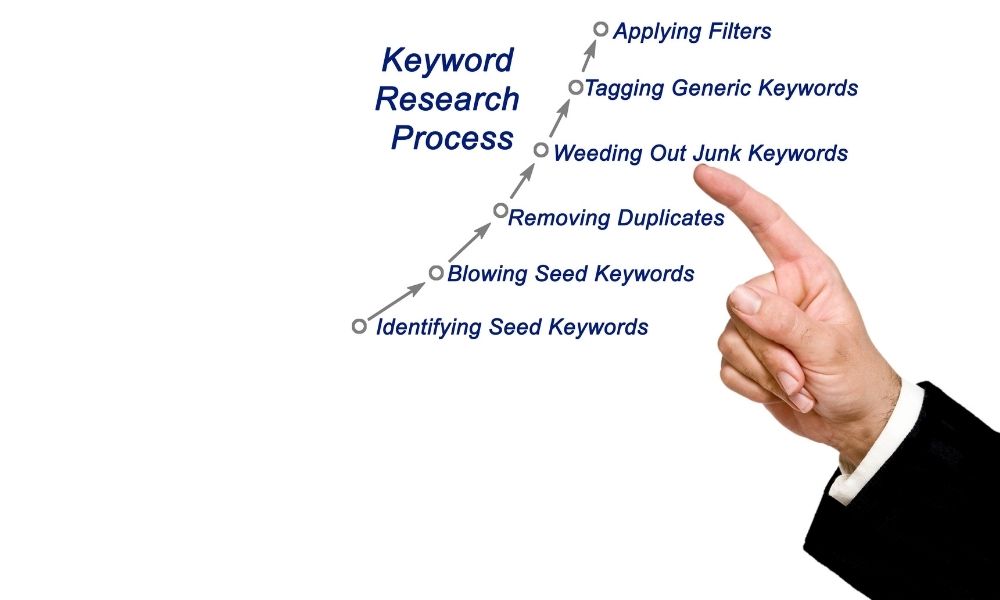
One mistake beginner bloggers make is chasing traffic without thinking about revenue.
I understand why. Seeing pageviews grow feels exciting.
But if the traffic is not aligned with your monetization strategy, it may not help much.
For example, an article about a fun general topic may get traffic, but the RPM may be low. A keyword about a specific software tool, course platform, ad network, or AI tool may have lower volume but stronger revenue potential because readers are closer to making a decision.
That is why I like grouping keywords into three simple categories:
- Traffic keywords: helpful topics that can bring readers.
- Revenue keywords: topics connected to ads, affiliate tools, digital products, or buyer decisions.
- Authority keywords: supporting content that builds topical authority and internal links.
The best content strategy usually needs all three.
For example, if your blog is about AI tools for bloggers, you may write traffic articles like AI blog writing, revenue articles like best AI writing tools, and supporting articles like ChatGPT prompts for blog posts.
That is much stronger than writing one random AI article, then one random Pinterest article, then one random course article with no connection between them.
Why I Do Not Depend on One Expensive SEO Tool All Year
I love premium SEO tools, but I also understand the beginner blogger budget problem.
Tools like Ahrefs are powerful. Ahrefs has Keywords Explorer for studying search queries, generating keyword ideas, clustering keywords, and reviewing keyword metrics. Ahrefs Keywords Explorer
But paying for premium tools every month can be hard when your blog is still growing.
So the way I would handle it is simple: use a premium tool for one focused month when needed.
During that month, I would not casually browse. I would work with a plan.
- Export keyword ideas for my main categories.
- Check keyword difficulty and volume.
- Analyze competitor pages.
- Find low-competition long-tail keywords.
- Build topic clusters.
- Save content gaps.
- Create a 3 to 6-month content plan.
Then, for day-to-day work, I would use free or lower-cost tools like Keyword Surfer, Google Trends, Pinterest Trends, and AI brainstorming.
This is not perfect. Premium tools give deeper data. But as a budget-conscious blogger, I would rather use one premium month strategically than pay all year and not use the tool properly.
Why Keyword Surfer Can Be Enough for Daily Research
For everyday keyword checks, I like the idea of using the Keyword Surfer extension because it works directly inside Google search results.
Surfer describes Keyword Surfer as a free Chrome extension that shows search volume, CPC, estimated traffic, keyword ideas, overlap score, and other data directly on the Google results page.
For a blogger, that is convenient because you do not need to open a separate dashboard every time you want to check a keyword.
I would use Keyword Surfer to quickly answer questions like:
- Does this keyword have any search volume?
- Are there related long-tail keywords?
- What kind of pages are ranking?
- Do ranking pages look weak or strong?
- Are the top results forums, blogs, brands, or tool pages?
- Can I create a more helpful article than the current results?
The biggest benefit is speed.
If I am planning content and checking dozens of ideas, a browser extension can help me quickly filter weak ideas before spending more time on them.
For more SEO workflow ideas, my guide on best AI SEO tools can help you compare tools that support research, outlines, and faster planning.
Google Keywords vs Pinterest Keywords: Why I Think About Both
As a blogger, I do not want keywords that only work in one place if I can find topics that also work visually on Pinterest.
Google and Pinterest are different platforms, but they both reward relevance.
Google is search-first. People ask questions, compare tools, look for guides, and search with intent.
Pinterest is discovery and search mixed together. People look for ideas, inspiration, plans, tutorials, and visual solutions.
Pinterest’s business help explains that Pinterest Trends lets businesses view popular keywords, see whether a trend is seasonal, and review weekly, monthly, and yearly changes. Pinterest Trends Help
That is very useful for bloggers because some topics may perform better when planned seasonally.
For example, if I write about digital products, I may look for Google keywords like:
- most profitable digital products
- digital product ideas for bloggers
- how to sell templates online
- best free online course builder
But for Pinterest, I may also think in more visual phrases like:
- digital product ideas
- online business ideas
- make money blogging
- blogging tips for beginners
- AI tools for content creators
The blog post may target Google. The pin titles and descriptions may target Pinterest behavior.
That is why I do not want an AI keyword generator that only gives me one list of random phrases. I want it to help me think across platforms.
If Pinterest is part of your traffic plan, my guides on Pinterest SEO and Pinterest marketing strategy can help you connect keyword research with pin strategy.
The Real Power of AI Keyword Generators: Topic Clustering
The biggest mistake I see in beginner blogging is choosing isolated topics.
One article about AI writing. One article about Pinterest. One article about course platforms. One article about ad networks. One article about YouTube. No internal linking plan. No topical map. No cluster.
That makes it harder for readers — and search engines — to understand what the blog is really about.
AI keyword generators are useful because they can help turn one topic into a cluster.
For example, if my main topic is “AI tools for bloggers,” an AI tool can help me brainstorm clusters like:
- AI writing tools
- AI SEO tools
- AI image tools
- AI video tools
- AI automation tools
- AI affiliate marketing
- AI blogging workflows
- AI content humanization
Then each cluster can become several articles.
For example, the AI writing cluster can include:
- best AI writing tools
- AI blog writing
- ChatGPT vs Gemini for blogging
- ChatGPT alternatives for content creators
- how to humanize AI content
Now the blog has a connected content system instead of random posts.
This helps readers move from one helpful article to another. It also helps you plan internal links naturally instead of forcing them later.
How I Would Use an AI Keyword Generator Step by Step
Here is the exact workflow I would use if I were planning a new article or content cluster.
Step 1: Start with a seed topic
I would begin with one broad topic connected to my blog’s niche.
Examples:
- AI keyword generator
- AI blogging tools
- online course platforms
- Pinterest SEO
- affiliate marketing tools
- AI video generator
- digital products for bloggers
The seed topic is not always the final keyword. It is just the starting point.
Step 2: Ask AI for keyword angles by intent
I would ask AI to group ideas by search intent, not just dump random keywords.
For example:
Give me keyword ideas for “AI keyword generator” grouped by intent: beginner guide, tool comparison, free tools, Pinterest keyword research, SEO strategy, content clustering, and affiliate/revenue intent.
This gives structure to the research.
Intent matters because a person searching “what is an AI keyword generator” needs something different from someone searching “best AI keyword generator for bloggers.”
Step 3: Check ideas with real SEO data
After AI gives ideas, I would check them in real tools.
- Keyword Surfer for quick Google SERP checks
- Google Keyword Planner for keyword ideas and search estimates
- Google Trends for interest over time
- Pinterest Trends for seasonal Pinterest demand
- Ahrefs for deeper keyword data when I can afford a focused month
Google Keyword Planner can help discover new keywords and view estimates of searches and cost to target them. That can be useful even if you are not running ads, because CPC can give you a rough clue about commercial value. Google Ads Help
I do not treat one metric as the whole truth. I look at the full picture: volume, competition, intent, CPC, trend, SERP quality, and cluster fit.
Step 4: Check Google search results manually
This step is boring but important.
I search the keyword on Google and look at the results.
I ask:
- Are the top results huge authority sites?
- Are there small blogs ranking?
- Are the articles old or thin?
- Are the titles matching the keyword exactly?
- Are there videos, forums, product pages, or blog posts?
- What does Google think the searcher wants?
Sometimes a keyword looks good in a tool, but the SERP tells a different story.
If all top results are huge software companies, I may need a more specific long-tail keyword.
If smaller blogs are ranking with weak content, that may be a better opportunity.
Step 5: Check Pinterest angle
If the topic is visual or creator-friendly, I check whether it could work on Pinterest too.
Some Google keywords do not make good Pinterest content. Others are perfect.
For example, “AI keyword generator” may work on Google as an SEO guide, but for Pinterest, I might create pins around:
- Keyword research for bloggers
- Blog post ideas that get traffic
- SEO tips for beginner bloggers
- Pinterest keyword strategy
- How to plan blog content with AI
This way, the article can be optimized for Google while the pins speak Pinterest’s language.
Step 6: Place the keyword inside a cluster
Before writing, I ask: where does this article live in my site structure?
For “AI keyword generator,” it might belong inside an AI SEO cluster.
That cluster could include:
- best AI SEO tools
- AI blog writing
- ChatGPT prompts for blog posts
- Pinterest SEO
- Pinterest marketing strategy
This gives the article a purpose beyond itself.
Best AI Keyword Generator Tools and Workflows
Here are the tools and workflows I would use, depending on budget.
1. ChatGPT or Gemini for brainstorming
AI assistants are great for the first stage: brainstorming ideas, grouping topics, creating keyword variations, and identifying angles.
I would use them for:
- Long-tail keyword ideas
- Question keywords
- Cluster maps
- Article title ideas
- Pinterest pin title ideas
- Search intent grouping
- Internal linking suggestions
If you are comparing AI assistants for blogging, my article on ChatGPT vs Gemini for blogging can help you decide how to use each one.
2. Keyword Surfer for quick validation
Keyword Surfer is useful when you want quick keyword data while searching Google.
I would use it as a daily filter before investing more time in an article.
If an AI keyword idea looks interesting, I check it with Keyword Surfer to see whether the SERP looks realistic.
3. Ahrefs for one focused research month
If budget allows, I would use Ahrefs for one focused month to build a larger keyword map.
Ahrefs also offers a free keyword generator, which can be useful for quick ideas, but the paid platform gives deeper research options.
My goal during that month would be to gather enough data for several months of content, not just one post.
4. Google Trends for direction
Google Trends helps check whether interest in a topic is rising, falling, seasonal, or stable.
I would not use it alone for keyword volume, but it is useful for timing and topic comparison.
5. Pinterest Trends for visual discovery
If I want Pinterest traffic, I check Pinterest Trends to see whether the topic has seasonal or visual potential.
This is especially useful for niches like blogging, digital products, templates, printables, home, food, wellness, travel, fashion, and content creation.
AI Keyword Generator Prompt Examples
Here are prompts I would actually use.
Prompt 1: Keyword ideas by intent
Act as an SEO strategist for a beginner blogging website. Give me keyword ideas for “[topic]” grouped by intent: beginner guide, comparison, review, alternatives, how-to, Pinterest angle, affiliate angle, and digital product angle.
Prompt 2: Topic cluster builder
Create a topic cluster for “[main topic]” with one pillar article, 10 supporting articles, suggested internal links, and the reader intent for each article.
Prompt 3: Google and Pinterest split
For the keyword “[keyword],” suggest one Google SEO article angle, 10 Pinterest pin title ideas, 5 Pinterest keyword phrases, and 5 related blog post ideas that can support the same cluster.
Prompt 4: RPM and monetization angle
Analyze these keyword ideas and classify them as traffic-focused, affiliate-focused, ad revenue-focused, digital product-focused, or authority-building. Explain why each keyword fits that category.
Prompt 5: Internal link planning
I have these existing articles: [paste article list]. For the new article “[keyword],” suggest natural internal links, anchor text, and where each link should appear in the article.
This last prompt is especially useful because internal linking should not be random. It should help the reader move to the next helpful article.
How to Choose Keywords That Support RPM and Revenue
If display ads matter to your blog, you need to think beyond traffic.
Higher RPM topics often connect to advertiser value, buyer intent, business tools, software, finance, productivity, education, or commercial decisions.
That does not mean every post needs to be a money keyword. But your site should have a balance.
For example, these may be stronger revenue-intent topics:
- affiliate marketing tools
- best ad networks for bloggers
- website ads revenue calculator
- best free online course builder
- Podia alternatives
- Teachable platform
These keywords may attract readers who are comparing tools, building businesses, or making monetization decisions.
On the other hand, informational posts are still useful because they build trust, support internal links, and bring top-of-funnel readers.
A smart blog needs both.
My AI Keyword Research Checklist
Before I commit to writing an article, I would run the keyword through this checklist:
- Does the keyword match my niche?
- Does it connect to an existing or planned topic cluster?
- Does it have search demand?
- Can a smaller blog realistically compete?
- Does it have Google and/or Pinterest potential?
- Is the intent clear?
- Can I create a better, more helpful article than current results?
- Does it support ads, affiliates, digital products, or authority?
- Can I internally link to at least 2 to 4 related articles?
- Can I create multiple pin angles for it?
- Is it worth my time compared with other keyword options?
If a keyword fails too many of these, I do not force it.
There are always more keywords.
Common Mistakes When Using an AI Keyword Generator
Using every keyword AI suggests
AI can generate hundreds of ideas, but not all ideas are worth writing.
You still need filtering.
Ignoring search intent
If the searcher wants a tool comparison and you write a generic guide, the article may not perform.
Chasing only high-volume keywords
High volume is tempting, but competition may be too strong.
Long-tail keywords can be more realistic for newer blogs.
Forgetting Pinterest language
A Google keyword may need a different Pinterest title.
Do not copy the blog title into every pin and expect it to work.
Writing isolated articles
One article alone is weaker than a cluster.
Use AI to plan supporting articles before publishing randomly.
Trusting AI data without checking
AI may invent volume, difficulty, CPC, or trends if it is not connected to live data.
Use AI for ideas, but use SEO tools and manual checks for validation.
Final Thoughts: AI Keyword Generators Are Powerful, But Strategy Still Wins
An AI keyword generator can save a blogger a lot of time.
It can help you brainstorm faster, group ideas better, find long-tail angles, create Google and Pinterest variations, and build topic clusters instead of isolated articles.
But the keyword decision still needs human judgment.
You need to think about traffic, competition, RPM, affiliate potential, Pinterest reach, internal links, and whether the topic fits your blog’s authority.
My honest approach is simple:
- Use AI to generate and organize ideas.
- Use Keyword Surfer for quick daily checks.
- Use Google Trends and Pinterest Trends for timing and platform fit.
- Use Ahrefs or another premium tool strategically when budget allows.
- Build clusters, not random posts.
- Choose keywords that support both traffic and revenue.
The best keyword is not always the biggest keyword.
It is the keyword your blog can realistically win, serve well, connect internally, and monetize over time.
That is how I would use AI keyword generators: not as a shortcut to skip strategy, but as a smarter way to build a content plan that actually has a chance to work.