
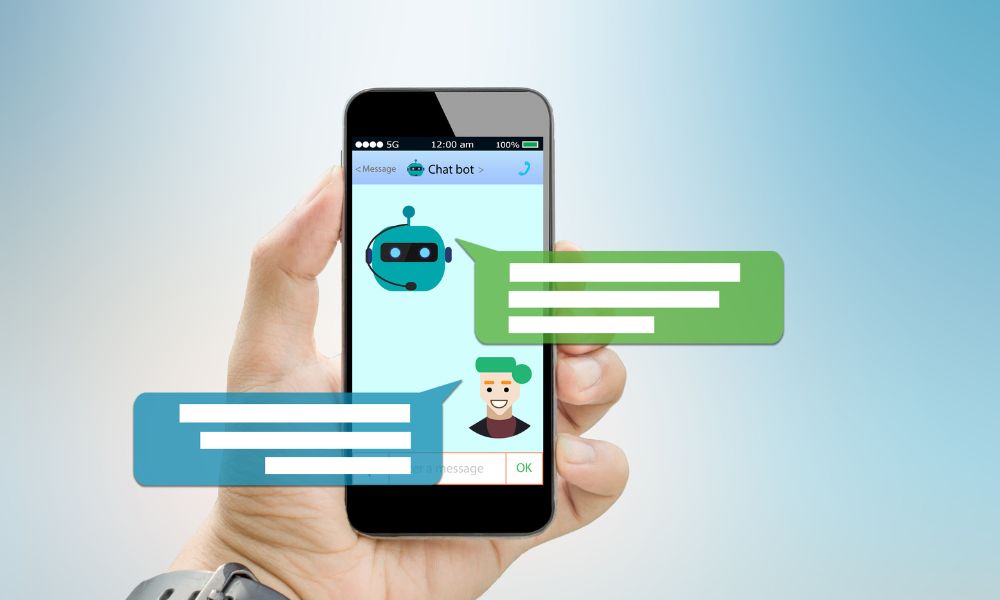
I used to think an AI chatbot for a website was something only big companies needed.
You know, the kind of thing you see on software websites where a little bubble pops up and asks, “How can I help you today?”
But after spending more time studying blogging tools, AI workflows, monetization tricks, and the small systems successful bloggers quietly build behind the scenes, I started looking at website chatbots differently.
An AI chatbot is not just a customer support toy.
For a blogger, creator, affiliate marketer, or small online business owner, it can become a tiny website assistant. It can guide readers to the right posts, answer simple questions, collect leads, recommend free resources, explain what you offer, and help people find the next step instead of leaving your site confused.
And if you are like me — still building, still testing, still searching for affordable tools, and still learning from the people who seem to be five steps ahead — the big question is not “What is the fanciest chatbot?”
The real question is:
What is the simplest, lowest-cost AI chatbot I can add to my website that actually helps visitors and supports my blogging business?
That is what this guide is about.
This is not a technical enterprise guide. It is not a deep customer service software comparison for huge support teams. I already have related content on customer service AI chatbots and how AI is used in customer service. This article is more personal and practical: how a blogger or small website owner can use an AI chatbot as a website helper without spending too much money.
Quick Answer: What Is the Best AI Chatbot for a Website?
If you want the quick answer, the best AI chatbot for your website depends on what you want it to do.
| Your goal | Best type of AI chatbot | Good tool examples |
|---|---|---|
| Answer simple website questions | FAQ-trained chatbot | Chatbase, Tidio, Botpress |
| Collect leads from visitors | Lead qualification chatbot | HubSpot, Tidio, Crisp |
| Support a small business website | Live chat + AI assistant | Crisp, Tidio, LiveChat |
| Build a custom AI agent | AI agent builder | Botpress, Chatbase |
| Start with a free or low-cost setup | Free chatbot or free trial | HubSpot, Crisp, Tidio, Botpress |
My honest recommendation for most beginner bloggers is this:
Start with a simple chatbot that answers basic questions, recommends your best content, and collects email leads. Do not start with a complicated AI agent before you know what your visitors actually ask.
A chatbot should support your website strategy. It should not become another shiny tool that distracts you from creating helpful content, building an email list, and making clear offers.
What Is an AI Chatbot for a Website?
An AI chatbot for a website is a chat tool that appears on your site and responds to visitors automatically. Depending on the tool, it may answer questions from your website content, use a knowledge base, qualify leads, recommend products or articles, book meetings, hand off to a human, or collect contact details.
Older chatbots were often rule-based. You had to create menus like:
- Click 1 for pricing
- Click 2 for support
- Click 3 for contact
Modern AI chatbots can be more flexible. Many can read uploaded documents, help center articles, website pages, product information, or FAQs and then respond in a more natural way.
For example, Chatbase describes itself as a platform for building and deploying AI support agents for a business, and it lets users build an agent for free. You can check its current positioning on the official Chatbase website.
HubSpot also offers a free chatbot builder that can help qualify leads, book meetings, and answer common support questions. You can see the official tool page here: HubSpot chatbot builder.
For bloggers, the magic is not just “AI can talk.”
The real value is that the chatbot can help visitors move through your site more easily.
Why a Blogger Might Need an AI Chatbot
Most bloggers think about traffic first. I get it. Traffic feels like the biggest problem.
But once people land on your site, another problem appears: they do not always know where to go next.
They may read one article and leave. They may not notice your freebie. They may not understand your offer. They may want a recommendation, but not feel like searching through your menu. They may have a simple question that your site already answers somewhere, but they cannot find it.
This is where a chatbot can help.
A good website chatbot can:
- Guide readers to your best articles
- Recommend related resources
- Collect emails for a lead magnet
- Answer simple FAQs
- Explain your products or services
- Send visitors to your contact page
- Reduce repetitive questions
- Help readers find what they came for faster
Think about your site like a small shop.
Your blog posts are the shelves. Your landing pages are the offers. Your email list is the relationship. Your chatbot can be the little assistant near the door saying, “Looking for something specific? I can help.”
If you already use tools for WordPress automation or automated content marketing, a chatbot can become another small part of that system.
The Difference Between a Website Chatbot and a Landing Page
This is important because I do not want this article to overlap with the landing page articles.
A landing page is usually built around one clear action: download this, buy this, sign up for this, book this.
An AI chatbot is more conversational. It helps visitors choose the right path.
| Tool | Main purpose | Best use |
|---|---|---|
| Landing page | Convert one visitor into one action | Lead magnets, sales pages, waitlists, webinars |
| AI chatbot | Guide the visitor through questions and options | FAQs, recommendations, lead qualification, support, navigation |
So if your previous article was about building a page, this one is about building a conversation.
They can work together beautifully.
For example, someone asks your chatbot, “Do you have a free guide for beginner bloggers?” The chatbot can send them to a landing page for your lead magnet. If you need ideas for that offer, you can use my guide on lead magnet ideas for bloggers or create a simple resource using a lead magnet generator.
Best AI Chatbot Tools for Website Owners and Bloggers
Before we go through tools, I want to say something clearly: pricing and free limits change often. Always check the official pricing page before deciding.
Also, “free” usually means one of these things:
- Free plan with limits
- Free trial
- Free setup but paid usage later
- Free chatbot but paid advanced features
- Free chat widget but paid AI features
That does not make the tool bad. It just means we need to read the details like adults, not like excited beginners who click every shiny button. I say this lovingly because I have been that beginner.
1. HubSpot Chatbot Builder: Best Free Starting Point for Lead Capture
HubSpot’s chatbot builder is one of the most beginner-friendly places to start if you care about leads, forms, contacts, and simple automation. The official HubSpot page says its free chatbot builder can help qualify leads, book meetings, provide answers to common support questions, and automate customer interactions.
You can explore it here: HubSpot free chatbot builder.
Why I like it for bloggers:
- It connects naturally with CRM-style lead management
- It is useful if you want to collect emails or inquiries
- It can help qualify visitors before they contact you
- It is better for business workflows than a random chat widget
Where it may not be perfect:
- It may feel bigger than you need if you only want a simple FAQ bot
- Some advanced HubSpot features may require paid plans
- You need to understand the CRM side to get the best value
My blogger take: HubSpot is a smart choice if your chatbot goal is not just “answer questions,” but “collect and organize leads.” If your site offers services, consulting, digital products, or future sponsorship inquiries, this can be useful.
2. Tidio: Best for Bloggers Who Want Live Chat Plus AI
Tidio is a popular option for small businesses because it combines live chat, helpdesk features, automation flows, and its Lyro AI Agent. Tidio’s official site says it can help capture more leads, close more sales, and book more calls even when you are offline. Its Lyro AI Agent page says every Tidio account starts with 50 Lyro conversations for free.
You can check the current details on Tidio, the Lyro AI Agent page, and Tidio pricing.
Why I like it for bloggers and small websites:
- It feels approachable for non-technical users
- It combines live chat and AI
- It can help with leads and support
- It gives you a way to test AI conversations before paying heavily
Where it may not be perfect:
- AI conversation limits matter
- Pricing can increase as your usage grows
- You still need to train it with good information
My blogger take: Tidio is one of the easiest options to imagine on a blog or small business website. I would consider it if I wanted a friendly chat widget that could handle basic questions and lead capture without making the site feel too corporate.
3. Chatbase: Best for Training a Bot on Your Own Content
Chatbase is useful if you want to build an AI chatbot trained on your own documents, pages, or knowledge base. Its official homepage positions it as a platform for building and deploying AI support agents, and it invites users to build an agent for free.
You can check it here: Chatbase.
Why I like it:
- It is built around creating AI agents from your content
- It can be useful for FAQ-style website support
- It works well when you already have helpful content
- It is a good fit for knowledge-base style sites
Where it may not be perfect:
- Your answers depend heavily on the quality of the content you provide
- You need to test for inaccurate or overconfident answers
- Usage limits and paid plans may matter as traffic grows
My blogger take: Chatbase is interesting for content-heavy blogs. If your site has many tutorials, FAQs, reviews, or guides, a trained chatbot can help readers find answers faster. But I would not connect it to messy old content without cleaning that content first.
If your blog already has a large archive, this connects with the idea of internal content systems. You may also like my guide on how to automate internal linking, because the goal is similar: help readers move through your site more intelligently.
4. Botpress: Best for Custom AI Agents and More Advanced Workflows
Botpress is more advanced than a simple chat bubble. The official Botpress site describes it as an all-in-one platform for building AI agents powered by LLMs, and its pricing page lists a free plan along with paid plans.
You can review the current details here: Botpress and Botpress pricing.
Why I like it:
- It is strong if you want an actual AI agent workflow
- It can support more customized conversations
- It may fit technical creators or advanced marketers
- It is useful when you need more control than a basic widget
Where it may not be perfect:
- It may be more complex than a beginner needs
- Advanced workflows require more planning
- It is better when you know exactly what the bot should do
My blogger take: Botpress is not where I would send every brand-new blogger on day one. But if you are building a serious website assistant, quiz-like experience, lead qualification flow, or product recommendation system, it is worth studying.
5. Crisp: Best for Small Business Chat, Shared Inbox, and Support
Crisp is an AI customer support platform with a website chat widget, shared inbox, chatbot features, and support tools. Its pricing page mentions a free plan for solopreneurs and entrepreneurs, plus paid plans and a 14-day free trial for exploring features.
You can check the official pages here: Crisp, Crisp chatbot, and Crisp pricing.
Why I like it:
- It feels useful for small businesses and solo founders
- It combines chat, inbox, and chatbot features
- It can support both human and automated replies
- The free entry point is attractive for testing
Where it may not be perfect:
- AI and advanced automation features may require paid plans
- It may be more support-focused than content-recommendation focused
- You need to set up clear workflows to avoid confusion
My blogger take: Crisp is a nice option if your blog is becoming more of a small business, especially if people contact you, ask questions, request services, or need help choosing the right resource.
6. Intercom Fin: Best for Growing Businesses With Real Support Volume
Intercom’s Fin AI Agent is more advanced and more business-focused than what many beginner bloggers need. The Fin pricing page lists pricing from $0.99 per outcome, and Intercom’s own pricing page also references Fin AI Agent outcome-based pricing.
You can review the official pages here: Fin AI Agent pricing and Intercom pricing.
Why it may be powerful:
- It is built for serious customer conversations
- It can work across support and sales use cases
- It has stronger business infrastructure than basic bots
- It may fit companies with high support volume
Why I would not start here as a beginner blogger:
- It may be too expensive or advanced for a new blog
- Outcome-based pricing needs careful tracking
- It is better when support ROI is already clear
My blogger take: Intercom/Fin is worth knowing because successful SaaS businesses and larger teams use tools like this. But for a small blog, I would only consider it later, when the chatbot is tied to real revenue, not curiosity.
7. LiveChat and ChatBot: Best for Websites That Want Support Plus Sales Conversations
LiveChat offers AI-powered customer interactions and mentions that the first AI bot is free to start. ChatBot by Text lists paid plans with a 14-day free trial. These tools are more support and sales oriented, but they can still be useful for websites that get inquiries or sell products.
You can check the official pages here: LiveChat AI, LiveChat pricing, and ChatBot pricing.
Why I like them:
- They are built around customer conversations
- They can help with sales and support
- They may fit ecommerce, services, or paid offers
- They include more business-oriented features than basic widgets
Where they may not be perfect:
- They may be more than a content blogger needs
- Costs can rise with agents, bots, or advanced features
- You need enough website activity to justify the setup
My blogger take: I would look at these if the blog is already turning into a business with customers, clients, paid products, or support needs. If the site is still early, I would start lighter.
AI Chatbot Tool Comparison for Website Owners
| Tool | Best for | Budget angle | My blogger opinion |
|---|---|---|---|
| HubSpot Chatbot Builder | Lead capture and CRM workflows | Free starting option | Great if you want leads, not just chats |
| Tidio | Live chat + AI for small sites | Free entry and paid upgrades | Beginner-friendly and practical |
| Chatbase | Training a bot on your content | Free start, usage-based limits | Useful for content-heavy blogs |
| Botpress | Custom AI agents | Free plan plus paid plans | Powerful, but more advanced |
| Crisp | Small business chat and inbox | Free plan and trial options | Good for growing blog-business sites |
| Intercom Fin | Serious support and sales teams | Outcome-based pricing | Better for later-stage businesses |
| LiveChat / ChatBot | Support and sales conversations | Free start/trials, paid plans | Useful when you have business volume |
How I Would Use an AI Chatbot on a Blog
If I added a chatbot to a blogging site, I would not make it sound like a robot pretending to be a human. I would make it clear, useful, and simple.
Here are the best use cases I would start with.
1. Help visitors find the right article
A chatbot can ask:
“What are you trying to do today — grow traffic, choose an AI tool, automate WordPress, or monetize your blog?”
Then it can recommend relevant articles.
For example:
- If they want traffic, send them to how to get traffic to your website fast.
- If they want AI writing help, send them to AI blog writing.
- If they want tool comparisons, send them to best AI tools for bloggers.
- If they want SEO tools, send them to best AI SEO tools.
This is not only helpful for the reader. It also improves the way people move through your site.
2. Collect email leads with a helpful freebie
Instead of saying “Subscribe to my newsletter,” the chatbot can offer something specific.
For example:
“Want my free AI blog post checklist? I can send it to your email.”
This can connect naturally to a lead magnet page, a PDF freebie, or a mini-course. If you are building that system, you may like my articles on PDF lead magnets, mini course generators, and free online course builders.
3. Answer common questions about your offers
If you sell templates, services, ebooks, courses, or affiliate resources, visitors may ask the same questions again and again.
A chatbot can answer:
- Who is this for?
- Is it beginner-friendly?
- What is included?
- Do I need paid tools?
- Can I use this with WordPress?
- Where should I start?
This is useful if you have content around digital product ideas for bloggers, most profitable digital products, or creating an ebook with AI for free.
4. Recommend tools based on the visitor’s need
This is where chatbots can feel really helpful.
A visitor might ask:
“What AI tool should I use to create Pinterest pins?”
Your chatbot can send them to Pinterest pin maker tools, Pinterest automation tools, or free AI social media post generator tools.
Another visitor might ask:
“What tool can help me turn a blog post into a video?”
The chatbot can recommend blog post to video, Pictory AI review, or InVideo AI review.
This is the kind of website experience I personally find more useful than a chatbot that only says, “How can I help?” and then gives generic answers.
5. Help visitors choose a monetization path
If your audience is beginner bloggers, they often feel overwhelmed by options:
- Ads
- Affiliate marketing
- Digital products
- Courses
- Services
- YouTube
- AI side hustles
A chatbot can ask a few questions and recommend a path.
For example:
“Do you want to make money with traffic, products, services, or affiliate tools?”
Then it can guide people to articles like best ad networks for bloggers, affiliate marketing tools, AI affiliate marketing, or AI side hustle ideas.
What to Put Inside Your Website Chatbot

A chatbot is only as useful as the information you give it.
If your website is messy, your chatbot can become messy too. So before you train it, organize the basics.
Give it your core site pages
Start with:
- About page
- Contact page
- Start here page
- Product or service pages
- Best resource pages
- FAQs
- Top blog posts
Create a simple chatbot FAQ document
This can include:
- Who the site is for
- What topics you cover
- What free resources you offer
- How to contact you
- What tools you recommend
- What the chatbot should not answer
That last point matters.
Tell your chatbot what it should not do. For example, if you write about online business, you may not want it giving legal, financial, or tax advice. If you write about health, you definitely need stronger disclaimers and safety limits.
Give it a clear tone
You can tell the chatbot:
“Answer in a warm, practical, beginner-friendly tone. Keep answers short. Recommend relevant articles when useful. Do not make promises about income or results.”
This is important because a chatbot is part of your brand. If your content feels human and helpful, but your chatbot feels cold and pushy, the experience breaks.
A Simple AI Chatbot Script for Bloggers
Here is a simple conversation structure I would use:
Welcome message:
Hi! I can help you find the right blogging, AI, SEO, or monetization resource. What are you working on today?

Options:
1. I want more blog traffic
2. I want better AI writing tools
3. I want to monetize my blog
4. I want to automate WordPress
5. I want to create digital products
6. I want to contact the site owner

If visitor chooses traffic:
Share 2-3 relevant articles and offer a free checklist.

If visitor chooses AI writing tools:
Recommend AI writing tool articles and prompt guides.

If visitor chooses monetization:
Ask whether they prefer ads, affiliate marketing, digital products, or services.

If visitor asks something unclear:
Ask one simple follow-up question instead of guessing.

If visitor needs human help:
Send them to the contact page or form.
Simple. Helpful. Not annoying.
That is what I would aim for.
Common Mistakes to Avoid With an AI Chatbot for Your Website
Mistake 1: Adding a chatbot before knowing what visitors need
Do not add a chatbot just because it looks modern.
Look at your Search Console queries, your top pages, your emails, your comments, and your most common reader questions. Your chatbot should answer real needs.
Mistake 2: Letting the chatbot make big promises
Please do not let your chatbot say things like:
- “This tool will make you six figures.”
- “This strategy guarantees traffic.”
- “This AI tool will rank your article instantly.”
That kind of hype may feel exciting, but it hurts trust.
Google’s helpful content guidance encourages creators to make content for people and avoid content that leaves readers feeling like they need to search again for better information. You can read Google’s official guidance on creating helpful, reliable, people-first content. I would apply the same idea to chatbot answers.
Mistake 3: Training it on weak or outdated content
If your chatbot pulls from old articles, outdated pricing, or half-written pages, it may give bad answers.
Before training a chatbot on your site, clean your most important content. Update pages that mention tools, pricing, or features because AI and SaaS tools change quickly.
Mistake 4: Making it too aggressive
A chatbot that pops up immediately, covers the screen, asks for an email before helping, and keeps interrupting visitors can hurt the experience.
I prefer a softer approach:
- Small chat bubble
- Friendly welcome
- No huge popup on page load
- Clear option to close
- Helpful answers before asking for email
Mistake 5: Ignoring privacy and data
This matters more than many bloggers realize.
Chatbots may collect names, emails, questions, behavior data, or other personal information. Research on web-based chatbots has raised privacy and security concerns around third-party domains, cookies, tracking, and insecure transmission in some implementations. You can read the research paper here: An Empirical Assessment of Security and Privacy Risks of Web-based Chatbots.
This does not mean “never use chatbots.” It means be responsible.
Check:
- What data the tool collects
- Whether conversations are stored
- Whether you can delete data
- Whether it uses cookies
- Whether it supports GDPR or privacy requirements relevant to your audience
- Whether you need to update your privacy policy
I know privacy policies are not the fun part of blogging. But if you are building a real business, these details matter.
How to Measure Whether Your AI Chatbot Is Helping
Do not judge your chatbot only by whether it looks cool.
Track practical things:
- How many people open the chatbot?
- What questions do they ask?
- Which links does the chatbot recommend most?
- Does it collect emails?
- Does it send people to key pages?
- Does it reduce repetitive questions?
- Does it help visitors find your best content?
- Are people annoyed by it?
You can also track chat events or conversions through analytics, depending on your tool. For example, Brevo has a help article on tracking Conversations events in Google Analytics through Google Tag Manager. You can read that here: tracking chat events in Google Analytics.
For a beginner blogger, I would keep the first measurement simple:
Is the chatbot helping people click to the right pages or join my email list?
If yes, improve it.
If no, simplify it.
My Low-Cost Website Chatbot Setup
If I were adding an AI chatbot to a blog on a small budget, I would do this:
- Choose one simple chatbot tool with a free plan or free trial.
- Create a short FAQ document about the site.
- Add links to my best articles and resources.
- Write a warm welcome message.
- Set clear boundaries on what the chatbot should not answer.
- Test 20 questions manually before publishing.
- Add the chatbot only to key pages first.
- Watch what people ask.
- Improve the bot every month.
I would not add it to every page immediately. I might start with:
- Homepage
- Start here page
- Tools/resource page
- Contact page
- Product or lead magnet pages
This way, the chatbot supports important visitor journeys without becoming annoying everywhere.
When You Should Not Add an AI Chatbot Yet
I love tools, but I do not think every site needs every tool immediately.
You may not need a chatbot yet if:
- Your site has very little traffic
- You do not have a clear offer
- You have no lead magnet
- Your content is disorganized
- You are not ready to maintain it
- You do not know what visitors ask
In that case, your next step may be improving content, internal links, and lead magnets first.
If your site is still early, articles like online business without investment, how to make money with AI with no experience, and best AI tools for bloggers may help you build the foundation before adding another tool.
FAQ About AI Chatbots for Websites
What is the best AI chatbot for a website?
The best AI chatbot for a website depends on your goal. HubSpot is useful for lead capture and CRM workflows. Tidio is beginner-friendly for live chat plus AI. Chatbase is useful for training a bot on your own content. Botpress is better for more custom AI agent workflows. Crisp is good for small business chat and shared inbox support.
Can I add an AI chatbot to my website for free?
Yes, many tools offer a free plan, free trial, or free starting limit. However, free plans usually come with limits on conversations, features, branding, integrations, or AI usage. Always check the official pricing page before choosing a tool.
Is an AI chatbot good for bloggers?
Yes, an AI chatbot can be useful for bloggers if it helps visitors find articles, collect leads, recommend resources, answer basic questions, or guide people to relevant offers. It is less useful if you add it without a clear purpose.
Can an AI chatbot increase conversions?
It can help conversions if it guides visitors to the right next step, such as a lead magnet, product page, contact form, or helpful resource. But it will not fix an unclear offer, weak content, or poor website experience by itself.
Will an AI chatbot slow down my website?
It can affect performance depending on the script, widget, loading behavior, and tool. Test your site speed before and after adding a chatbot, and avoid loading unnecessary tools on every page if you do not need them.
What should my website chatbot say first?
Keep it simple and helpful. A good first message could be: “Hi! I can help you find the right article, tool, or free resource. What are you working on today?” Then offer a few clear choices.
Should I use a chatbot instead of a contact form?
Not always. A chatbot can guide visitors and answer simple questions, but a contact form is still useful for serious inquiries. Many sites use both: the chatbot for quick help and the contact form for detailed messages.
Final Thoughts: Use an AI Chatbot as a Helper, Not a Magic Button
An AI chatbot for your website can be a smart tool.
It can help readers find content, answer simple questions, collect leads, and make your site feel more interactive. But it is not a magic button. It will not replace helpful content, clear offers, trust, or a real business strategy.
For bloggers, the best chatbot is not always the most advanced one.
It is the one that helps your reader take the next useful step.
If you are just starting, keep it simple. Choose a free or low-cost tool. Train it with your best content. Make the tone warm and honest. Test the answers. Watch what visitors ask. Improve slowly.
That is how I think about AI tools in general. I do not want tools that make me look advanced while my business stays confused. I want tools that make the path easier — for me and for the person visiting my site.
And if you are building your blog the same way, one practical tool at a time, you are not behind. You are learning the systems that make a website more useful, more organized, and eventually more profitable.