
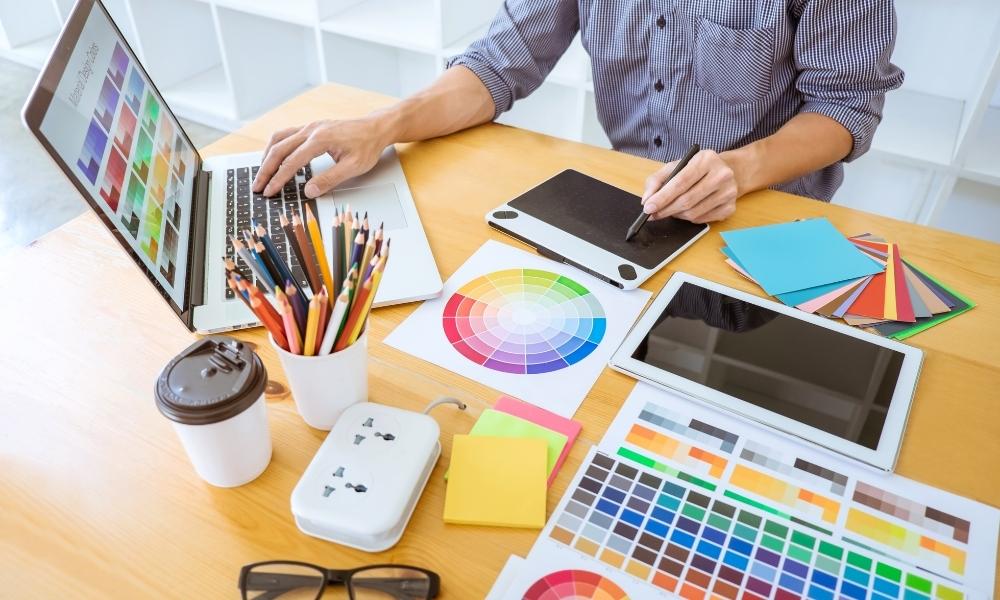
Running a blog has made me much more aware of how often content needs visuals.
A single article may need:
- a featured image;
- two or three Pinterest Pin designs;
- a Facebook image;
- perhaps an image for a social media caption;
- a refreshed visual later when I promote the article again.
For my AI tools website, this became especially important once I started building a Pinterest marketing strategy for bloggers. Creating Pins consistently means I cannot spend too much time searching for stock photos or paying for new images every time I publish an article.
So, I began searching for a free AI image generator without restrictions.
At first, I thought that meant finding a tool that would let me create unlimited images for free, with no credits, no blocked prompts, no watermarks, and no upgrade message after a few attempts.
But once I looked more carefully, I realized that phrase needs an honest explanation.
A professional AI image generator is never completely without restrictions. Most tools have some combination of:
- free-generation limits;
- monthly or daily credits;
- safety policies;
- public-image settings on free plans;
- commercial-use rules;
- reduced image quality or slower generation;
- paid features for editing, exporting or privacy.
And honestly, safety restrictions are not the part I want removed. As a blogger, I am not looking to create harmful or misleading visuals. I am looking for a tool that lets me create useful blog and Pinterest images without running into a paywall every few minutes.
That is the real question behind this article:
Which free AI image generator gives bloggers enough creative freedom, useful image quality and simple workflow without paying too early?
What “Without Restrictions” Should Mean for a Blogger
Before comparing tools, I needed to define what actually matters in my workflow.
For me, a useful free AI image generator should offer:
- enough free generations to test real content ideas;
- images that look professional enough for a blog or Pinterest;
- simple prompting without technical setup;
- useful styles such as realistic photos, illustrations, and marketing visuals;
- the ability to download and edit the image later;
- clear information about commercial use or content ownership;
- no unnecessary complication for someone creating content alone.
I am not looking for a platform that ignores copyright, safety or responsible-use rules. That is not a benefit for a real content business. It is a risk.
A free image generator becomes useful when it helps me create original visuals faster while still allowing me to publish responsibly.
This matters even more if I later use the visuals in monetized articles, affiliate content or digital products. My guide to how to monetize your blog from day one explains why it is important to think about content rights, audience trust and commercial purpose early rather than after a site begins earning.
How I Compared Free AI Image Generators
I approached this from the perspective of a blogger and content creator, not a digital artist building complicated scenes.
I needed images for realistic tasks such as:
- a horizontal blog featured image;
- a vertical Pinterest Pin background;
- a social media promotional visual;
- a clean image that could support text added later in Canva;
- a professional lifestyle image for an AI tool or blogging article.
The main things I looked for were:
| What I Compared | Why It Matters for Bloggers |
|---|---|
| Free access | I do not want another subscription before knowing the tool helps |
| Image quality | Blog visuals still need to look credible and attractive |
| Prompt control | I need the visual to match a specific article topic |
| Speed and simplicity | A useful tool should reduce content-production time |
| Text handling | Pinterest Pins often need readable headlines |
| Editing workflow | I may need to resize, add branding or create variations |
| Commercial-use clarity | Monetized blogs should avoid unclear image rights |
I compared six tools that are relevant to bloggers and small creators:
- Microsoft Designer;
- ChatGPT;
- Canva;
- Adobe Firefly;
- Leonardo.Ai;
- Ideogram.
Quick Comparison: Best Free AI Image Generators for Bloggers
| Tool | Free Starting Option | Best For | Main Limitation | My Practical Verdict |
|---|---|---|---|---|
| Microsoft Designer | Free access with monthly AI credits | Quick blog and social visuals | Credit limits still apply | Best simple free starting point |
| ChatGPT | Image creation available on free tier with rate limits | Creating a specific visual through conversation | Separate image rate limits | Best for describing exactly what I need |
| Canva | AI image and design workflow; check current plan access | Turning images into finished Pins and graphics | AI usage depends on current plan limits | Best finishing workspace |
| Adobe Firefly | Limited free access to generative features | Commercially minded creators and image editing | Free use is limited; paid plans are credit-based | Best when commercial confidence matters |
| Leonardo.Ai | Free plan with 150 daily fast tokens | Generating multiple visual styles and realistic concepts | Free creations are public | Best free volume for experimentation |
| Ideogram | Free access available; check current limits | Images requiring styled text inside the visual | Free allowance is limited | Best for text-heavy visual concepts |
1. Microsoft Designer: Best Free Starting Point for Simple Blog and Social Images
Official website: Microsoft Designer
Microsoft Designer was one of the first options that made sense for a blogger who wants to create visuals without learning a complicated image-generation system.
Microsoft describes Designer as a tool that lets users create and edit with AI, including images, social posts, stickers, collages, wallpapers, avatars, and designs. The free version uses monthly credits for AI creation and editing, while Microsoft 365 subscriptions provide higher usage allowances. (Microsoft Designer)
Why It Interested Me
What I like about Microsoft Designer is that it does not feel like an art experiment tool only. It is built around everyday content creation.
For example, I could use it to create:
- a simple horizontal featured image for a blog post;
- a realistic desk scene for an article about blogging tools;
- a clean social graphic;
- a background image that I later add text to;
- An image variation for a second Pinterest Pin.
That is enough for many beginner blogging tasks.
Where the “Without Restrictions” Claim Stops Being True
Microsoft Designer is free to begin with, but it is not unlimited. The official page states that free AI creation and editing works with monthly credits, while paid Microsoft 365 plans offer higher usage for AI image creation and editing. (Microsoft Designer)
So, it is a useful free starting option, but not a no-limit image factory.
My Verdict on Microsoft Designer
For a blogger who wants to create basic images quickly without paying at the start, Microsoft Designer is one of the easiest tools to try first.
Best for: Blog featured images, simple marketing visuals, and quick social graphics.
2. ChatGPT: Best for Turning a Detailed Content Idea Into an Image
Official free-tier information: ChatGPT Free Tier FAQ
ChatGPT became particularly useful to me when I wanted the visual to match a specific article concept rather than just look attractive.
For example, instead of asking for “a blogger workspace,” I could describe:
A horizontal realistic image of a female blogger working from home, reviewing Pinterest analytics on a laptop, with soft natural lighting, a notebook, coffee and subtle signs of traffic growth. No readable text or logos.
That type of instruction helps create visuals connected to the actual story of the article.
OpenAI’s current free-tier documentation states that free ChatGPT users can create images, although image creation has separate usage rate limits, and paid plans provide higher limits. (ChatGPT Free Tier FAQ)
Why It Worked Well for My Workflow
ChatGPT is helpful when I already know the exact mood, audience, and purpose of the image.
I can specify:
- horizontal or vertical composition;
- realistic or illustrated style;
- whether the image is for Pinterest, Facebook, or a blog header;
- the type of woman, desk, laptop, or setting I want included;
- whether I want space for text;
- whether the image should avoid logos or readable interface wording.
This is particularly useful when creating visuals for articles such as:
- Pinterest affiliate marketing for bloggers;
- social media management platforms for bloggers;
- best AI tools for bloggers.
Where It Falls Short
The free plan still has usage limits. It is not designed for generating dozens of visual variations in one session without eventually reaching a cap.
Also, for precise Pinterest graphics with clean typography, I would normally generate the image first and add the final headline myself in a design tool rather than depend on any image generator to render all text perfectly.
My Verdict on ChatGPT
ChatGPT is the option I prefer when I want a specific, believable image that supports an article concept rather than a generic stock-style background.
Best for: Realistic blog header images, article-specific scenes, and visual brainstorming through conversation.
3. Canva: Best for Turning an AI Image Into a Finished Pinterest Pin
Official AI image tool: Canva AI Image Generator
Canva is slightly different from the other tools in this list because, for me, its biggest value is not only creating an image.
It is finishing the image.
Once I have an AI-generated background or concept, I still usually need to:
- Add a Pinterest headline;
- Use consistent brand colors;
- Resize the design;
- Add my website style;
- Produce several versions of the same Pin;
- Export something ready to schedule.
That is where Canva fits naturally into a blogger’s workflow.
Why Canva Matters for Pinterest Content
A Pinterest Pin is rarely just a nice image.
It usually needs:
- clear headline text;
- strong visual hierarchy;
- mobile-readable sizing;
- consistent colors;
- a design that matches the article topic.
For example, if I create an AI visual for an article about a free AI social media post generator, I can then place it inside a Canva Pin template and add the final text properly rather than hoping the AI image itself renders every word correctly.
What I Would Use Canva For
I would use Canva to:
- generate or import visual concepts;
- Add accurate text overlays;
- create Pinterest-sized designs;
- keep my AI For Bloggers Hub branding consistent;
- Create several visual angles for one article.
Where It Falls Short
Canva’s AI access and generation allowance depend on the current plan and features available to the user. I would always check current access inside the account before assuming I can create unlimited AI images for free.
More importantly, Canva is strongest when I already have a clear content plan. It is a design workflow tool, not a substitute for deciding what my audience actually needs.
My Verdict on Canva
Canva is not necessarily my first choice for generating every raw image, but it is the tool I would most likely use to turn an image into a finished Pinterest Pin.
Best for: Pinterest designs, branded graphics, and final visual editing.
4. Adobe Firefly: Best for Bloggers Who Care About Commercial Creative Workflows
Official plans: Adobe Firefly Plans
Adobe Firefly is worth considering when a blogger begins creating visuals for a site that may generate revenue.
Adobe presents Firefly as a platform for creating and editing images, video, and audio with AI. Its free access allows limited use of standard and premium creative AI features, while paid plans currently begin with Firefly Standard at $9.99 per month for 2,000 monthly generative credits. Adobe’s plans page also describes commercial use as usage connected with commercial activity for a brand or business, such as digital promotional materials or content sales. (Adobe Firefly Plans)
Why It Interested Me
When I am creating visuals for a monetized website, commercial-use clarity matters.
A blogger may eventually use an image in:
- an affiliate article;
- a sponsored article;
- a downloadable product;
- a website banner;
- promotional materials;
- a branded Pinterest campaign.
Adobe Firefly feels more connected to that professional creative workflow than a casual image generator.
What Firefly Can Help Create
For a blogger, Firefly may be useful for:
- article header images;
- backgrounds for social graphics;
- image expansion;
- removing unwanted objects;
- creating promotional visuals;
- adjusting images for different content sizes.
Where It Falls Short for a Budget-Conscious Beginner
Firefly is free to try, but the free access is limited. If I need regular image generation for several articles and multiple Pinterest Pins, I may eventually need a paid plan.
That makes it a stronger choice once I know visual content is becoming important to my business, not necessarily the first tool I would use for every experiment.
My Verdict on Adobe Firefly
Adobe Firefly is the option I would consider when I become more serious about commercial visuals and want a tool built around professional creative use.
Best for: Bloggers producing monetized visual content who want a more professional image-editing environment.
5. Leonardo.Ai: Best for Generating More Visual Variations on a Free Plan
Official pricing: Leonardo.Ai Pricing
Leonardo.Ai caught my attention because its free plan is more visibly structured around regular image generation.
Its official pricing page currently lists a free plan at $0 per month with 150 fast tokens per day. Free-plan creations are public, and Leonardo states that free users receive a non-exclusive, royalty-free licence to use their generated content commercially, while Leonardo retains rights to use and distribute images created on the free tier. (Leonardo.Ai Pricing)
Why It May Appeal to Bloggers
When creating Pinterest visuals, I rarely want only one image.
I may want to explore:
- a realistic desk scene;
- a soft editorial style;
- an illustrated marketing concept;
- a Pinterest-inspired collage;
- a minimal tech-style background.
Having daily tokens means I can try several creative directions before deciding which one deserves a final Pin design.
The Important Privacy Limitation
The major issue is that free-plan creations are public.
That may not matter if I am creating a generic lifestyle background or an early moodboard concept. But it matters more if I am creating highly branded, unique campaign assets or visuals, I would prefer not to be publicly available before publication.
My Verdict on Leonardo.Ai
Leonardo.Ai is a useful free option when I want to generate several image concepts and compare visual styles without immediately paying.
I would use it for experimentation, but I would be careful about creating private brand assets on a free plan where creations are public.
Best for: Multiple image variations, realistic concepts, and creative experimentation.
6. Ideogram: Best for Pinterest Concepts That Need Text Inside the Image
Official pricing: Ideogram Pricing
One of the most frustrating problems with AI-generated graphics is text.
A tool may create a beautiful poster or Pin-style image, but the headline appears misspelled, distorted or impossible to read. That is particularly unhelpful for Pinterest, where the text on the Pin often carries the main click reason.
Ideogram has developed a strong reputation for rendering styled text more cleanly than many image-generation tools. Its current free availability is limited, so I would check the official pricing page before planning a high-volume workflow around it.
Why It Matters for Bloggers
Suppose I want a concept Pin that says:
Pinterest Marketing Strategy for Bloggers
Or:
AI Tools That Save Bloggers Time
If I want the generated image to include text as part of the artistic design, Ideogram may be worth trying.
Why I Still Prefer Adding Final Pin Text Myself
Even if an AI generator can create readable words, I still prefer to add the final headline in Canva or another editing tool.
That gives me control over:
- exact wording;
- spelling;
- font size;
- brand consistency;
- mobile readability;
- future editing.
For Pinterest Pins, readable text is too important to leave entirely to chance.
My Verdict on Ideogram
Ideogram is useful for text-heavy image concepts and poster-style inspiration, but I would still create the final Pinterest graphic inside an editable design workflow.
Best for: Visual concepts involving styled text, mock posters, and Pin design inspiration.
Which Free AI Image Generator Has the Fewest Restrictions?
There is no honest answer that says one tool is completely free and completely unrestricted.
Instead, the best option depends on which restriction bothers you most.
| What You Want to Avoid | Best Tool to Consider | Why |
|---|---|---|
| Paying before trying real image ideas | Microsoft Designer | Easy free starting point with monthly credits |
| Generic images that do not match the article | ChatGPT | Strong conversational prompt control |
| Complicated Pinterest design editing | Canva | Best for adding accurate headlines and branding |
| Unclear commercial creative workflow | Adobe Firefly | Built around professional content creation |
| Running out after only a few experiments | Leonardo.Ai | Daily free token allowance supports more concepts |
| Broken text inside generated graphics | Ideogram | Strong option for text-focused visual concepts |
This is why I would not choose a tool only because an article claims it has “no restrictions.”
For a blogger, the useful question is:
Which tool removes the restriction that is slowing down my real content workflow?
My Practical Workflow for Creating Blog and Pinterest Images for Free
After comparing these tools, I do not think one generator needs to handle every part of the process.
For my AI tools website, I would use a simple workflow like this:
Step 1: Decide What the Image Needs to Do
Before generating anything, I identify the purpose:
- Is this a horizontal blog header?
- Is it a vertical Pinterest Pin?
- Is it a social media graphic?
- Does it need space for text?
- Does it need to feel realistic, illustrated, or editorial?
Step 2: Generate the Raw Visual
For a specific lifestyle or blogger scene, I would start with ChatGPT or Microsoft Designer.
For several style variations, I would explore Leonardo.Ai.
For a more commercial creative workflow, I would consider Adobe Firefly.
Step 3: Add Final Text and Branding in Canva
For a Pinterest Pin, I would not depend on the generated image alone.
I would move the selected visual into Canva and add:
- the final title;
- brand colors;
- readable text hierarchy;
- website identity;
- correct Pinterest proportions.
This is especially important when creating Pins to promote articles in a structured content calendar. My comparison of social media management platforms for bloggers explains how those finished Pins can later be scheduled consistently instead of being published randomly.
Step 4: Create More Than One Angle for Strong Articles
If an article is evergreen, I would create more than one Pin design from different reader angles.
For example, an article about Pinterest affiliate marketing could become:
- Can Bloggers Really Make Money With Pinterest Affiliate Links?
- Pinterest Affiliate Marketing Without Paying for Ads
- A Realistic Affiliate Strategy for Bloggers on Pinterest
The images can also vary:
- realistic blogger workspace;
- clean infographic design;
- feminine editorial collage;
- laptop and analytics scene;
- Minimal illustrated concept.
Step 5: Save the Prompt That Worked
Once a prompt produces a useful image style, I would save it in my content-planning sheet and adapt it for future articles.
That makes image creation faster and keeps the brand more consistent over time.
A Prompt Formula Bloggers Can Use for Better AI Images
A good AI image prompt should explain the purpose of the image, not only the objects inside it.
Here is the formula I would use:
Format + subject + setting + purpose + visual style + colors + composition + what to avoid
Example: Blog Header Image Prompt
Create a realistic horizontal blog header image of a female blogger working from a calm home office, reviewing content analytics on a laptop with a notebook and coffee beside her. Soft natural lighting, neutral blush palette, polished but believable lifestyle photography. Leave clean space on the left for a headline. No logos and no readable screen text.
Example: Pinterest Pin Background Prompt
Create a vertical Pinterest Pin background for an article about AI tools for bloggers. Show a stylish content creator desk with a laptop, notebook, simple AI-inspired icons and soft warm lighting. Clean modern editorial style in cream and blush tones, with uncluttered space at the top for headline text. No logos and no readable words.
Example: Monetization Article Image Prompt
Create a realistic horizontal image of a woman earning online from her blog, seated at a home-office desk with a laptop showing simple upward analytics and a phone nearby. Natural expression, professional but relatable atmosphere, warm daylight, neutral colors. No exaggerated money symbols, logos or readable text.
This level of detail helps the tool generate an image connected to the article instead of a random attractive picture.
What I Would Not Do With Free AI Image Generators
I Would Not Use Images Without Checking the Tool’s Terms
If an image supports a monetized article, sponsored post, affiliate page or digital product, I want to understand whether the tool allows commercial use and what rights apply to free-plan generations.
I Would Not Generate Branded Graphics and Assume They Are Private
Some free plans, including Leonardo.Ai’s current free tier, may make creations public. That matters when working on unique visual assets before publishing.
I Would Not Let AI Write Important Text Inside Every Pin
Readable Pinterest headlines matter too much. I may use AI to explore a concept, but I would add final wording in an editable design tool.
I Would Not Create Misleading Lifestyle Results
If an image shows traffic growth, earnings, job success, or business performance, it should be clearly illustrative rather than presented as proof of results I did not achieve.
I Would Not Pay Immediately Just Because Free Limits Appear
A usage cap is frustrating, but it does not automatically mean I need a subscription. I would first identify which tool consistently gives me usable results before paying for higher limits.
My Best Choice for a Budget-Conscious Blogger
If I were choosing only one free starting tool for a simple blog and social visuals, I would begin with:
Microsoft Designer
It is easy to access, designed for everyday content creation, and provides free AI image and editing credits without requiring a paid subscription immediately.
However, for my actual blogger workflow, I would not rely on one platform alone.
My practical combination would be:
| Task | Tool I Would Use |
|---|---|
| Create quick, free visual ideas | ChatGPT |
| Create quick free visual ideas | Microsoft Designer |
| Explore multiple creative variations | Leonardo.Ai |
| Build and brand the final Pinterest Pin | Canva |
| Explore styled text concepts | Ideogram |
| Consider more professional commercial visual workflows | Adobe Firefly |
For my AI For Bloggers Hub content specifically, ChatGPT plus Canva is the combination I would use most often: one tool for creating a tailored visual concept, and the other for turning it into a clean, readable, branded Pin or blog graphic.
Final Verdict: Does a Free AI Image Generator Without Restrictions Really Exist?
Not in the completely unlimited sense.
Every serious platform has restrictions somewhere: credits, daily limits, public creations, safety rules, paid editing features, or commercial-use terms.
But that does not mean bloggers need to spend money immediately.
For normal content creation, there are free tools that offer enough flexibility to create:
- blog featured images;
- Pinterest Pin backgrounds;
- social media visuals;
- editorial-style graphics;
- realistic creator scenes;
- article-specific promotional images.
The real strategy is not searching forever for a mythical tool with no restrictions.
It is building a smart visual workflow:
- Choose the image’s purpose.
- Generate a strong first concept with a free tool.
- Add accurate text and branding in an editable design platform.
- Save prompts that work.
- Create new image angles for evergreen articles.
- Upgrade only when free limits are genuinely slowing down content production.
For bloggers, AI image generation is most valuable when it makes publishing easier without making the website look generic or untrustworthy.
That is the standard I would use before putting any AI-generated visual on my blog—or using it to represent my brand on Pinterest.