

I know what it feels like to start a blog with big hopes and almost no real roadmap.
My first blog changed my life in many ways. It gave me something I had always wanted: the ability to step away from the traditional 9–5 path and build income from my own content. That part sounds beautiful, and I am grateful for it.
But here is the part people do not always say out loud: blog income is not always consistent.
Some months feel exciting. Some months feel scary. Traffic can go up, then drop. RPMs can change. Algorithms change. Affiliate clicks are not always predictable. And when your blog becomes part of your income, those changes feel personal.
The honest truth is that my first blog worked, but it also carried years of mistakes.
I did not start with a perfect strategy. I learned while doing. I made content without understanding clusters. I wrote posts that were not connected. I chased some keywords that were too competitive. I ignored some faster traffic sources. I did not always think about RPM, affiliate intent, Pinterest potential, or internal links from the beginning.
Seven years later, I can look back and say: yes, the blog succeeded — but it could have grown faster if I knew then what I know now.
So now, starting a new blog from scratch feels different.
I am not starting as a complete beginner emotionally, but the new blog itself is still new. It has no authority yet. It has no traffic yet. Google does not trust it yet. Pinterest does not know it yet. Nobody is waiting for my next post yet.
And that is the hard part.
I want traffic fast — not because I believe in shortcuts, but because I know momentum matters. A new blog needs feedback. It needs clicks. It needs data. It needs signs of life.
But I am also not willing to throw a fortune into paid ads. Ads can work for some businesses, but for a new blog, especially when you are still testing topics and monetization, paid traffic can become expensive very quickly.
How to Get Traffic to Your Website Fast When You Are Starting From Zero
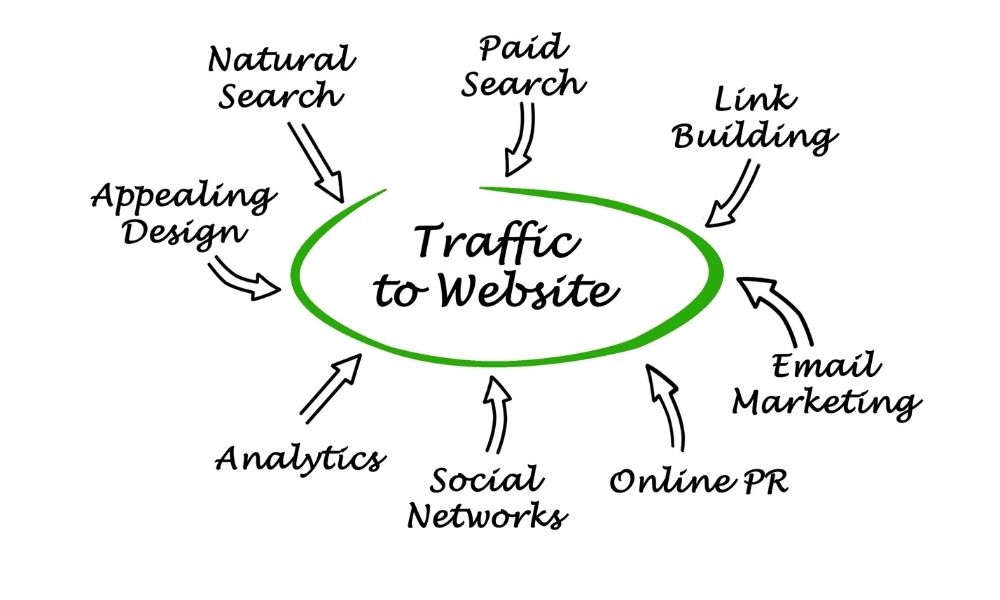
So this guide is about how to get traffic to your website fast without depending only on Google organic search and without making paid ads your main plan.
This is the realistic strategy I would use now: build every article for long-term SEO, but promote it through faster traffic channels from day one.
If you are starting a new blog, or if you are starting your second blog after learning the hard way from your first one, this is for you.
First, What Does “Fast Traffic” Really Mean?
Before we talk about strategies, I want to make one thing clear: fast traffic does not always mean huge traffic.
When people search for “how to get traffic to your website fast,” they often hope for thousands of visitors in a few days. That can happen in rare cases, but it is not what I would build my plan around.
For a new blog, fast traffic can mean:
- Getting your first 50–100 visitors from Pinterest, Facebook groups, Reddit, Quora, or LinkedIn.
- Seeing which headline gets clicks faster.
- Getting your first email subscribers from a freebie.
- Finding out which topic people actually care about.
- Getting early comments, shares, saves, or clicks.
- Creating momentum before Google rankings arrive.
That matters because a new blog can feel lonely. You publish, then refresh analytics, then nothing happens. Fast traffic gives you feedback earlier.
But I would not build a blog only on traffic spikes. Spikes are nice, but systems are better.
My goal is to combine fast traffic with long-term assets.
That means every post should have two jobs:
- Short-term job: bring traffic from faster channels like Pinterest, communities, email, social posts, or collaborations.
- Long-term job: rank on Google, build topical authority, support internal links, and become part of a content cluster.
Google’s own Search Central guidance says its systems aim to reward helpful, reliable, people-first content, not content created mainly to manipulate rankings. So even when I want fast traffic, I still want the article to be useful, not just clickable. Google Search Central
The Biggest Mistake I Made Before: Waiting for Google Alone
On my first blog, I learned SEO slowly. I knew organic search mattered, but I did not always understand how long it can take — especially for a new site or a new topic cluster.
Google traffic can be amazing, but it usually takes time.
For a brand-new blog, waiting only for SEO can feel like planting seeds and staring at the soil every day.
That does not mean I would ignore SEO. I would never do that now.
But I would not depend on SEO alone in the first months.
Here is my new rule:
Every article should be written with Google in mind, but launched with traffic promotion in mind.
That means before I write an article, I ask:
- What keyword can this target on Google?
- What Pinterest angle can this have?
- What community question does this answer?
- Can this become a short video or carousel?
- Can this support an email freebie?
- Can I internally link it to related posts?
- Does this topic have affiliate, ad revenue, or digital product potential?
This is why I now care so much about content clusters and keyword planning. My article on AI keyword generator explains how I use AI to brainstorm and organize keywords without blindly trusting random keyword ideas.
Step 1: Start With Topics That Can Work on Google and Social Media
If I want fast traffic, I cannot choose keywords only because they look good in an SEO tool.
I need topics that can also travel.
Some topics are search-friendly but boring on social media. Some are social-friendly but have no long-term search value. The sweet spot is a topic that can do both.
For example, instead of writing only “best productivity apps,” I would think:
- Can this be a Pinterest pin?
- Can this become a checklist?
- Can this answer a Reddit or Quora question?
- Can I turn this into a short video?
- Can this become part of a content cluster?
For my type of blog, topics like AI tools, blogging, Pinterest, digital products, monetization, and automation are perfect because they can work across platforms.
Examples of strong “multi-channel” topics:
- How to make money with AI with no experience
- Best AI tools for bloggers
- AI affiliate marketing
- Most profitable digital products
- Best free online course builder
- How to turn blog posts into videos
- Pinterest SEO for bloggers
- Automated content marketing
Each of these can become:
- A Google article
- A Pinterest pin set
- A short video
- A Facebook group answer
- A LinkedIn post
- An email newsletter
- A content upgrade
Pro tip: before writing a post, I now ask AI to give me Google title ideas, Pinterest pin titles, social post hooks, and community question angles. If the topic has no angles outside Google, I may still write it — but I know it may not bring fast traffic.
For prompts that help with this, my article on SEO prompts for ChatGPT is directly related.
Step 2: Use Pinterest as a Fast-ish Traffic Source
If I were starting a new blog today, Pinterest would be one of the first platforms I would take seriously.
Not because Pinterest is instant magic. It is not.
But Pinterest is different from most social platforms because it behaves more like a visual search engine. Content can continue circulating longer than a normal social media post, especially if the topic is evergreen and visually attractive.
Pinterest Trends lets businesses view popular keywords, check whether a trend is seasonal, and review weekly, monthly, and yearly changes for keywords. Pinterest Business Help
That is useful because I do not want to create pins randomly. I want to know what people are already searching for.
Here is how I would use Pinterest for fast traffic:
- Create 3–5 pins for every new blog post.
- Use different titles for each pin.
- Test curiosity, benefit, and how-to angles.
- Use keywords in pin title and description naturally.
- Create fresh pin designs instead of repeating the same image forever.
- Link directly to the article, not only the homepage.
- Create boards that match my blog categories.
For example, for an article titled “How to Get Traffic to Your Website Fast,” Pinterest titles could be:
- How I Would Grow a New Blog Faster
- Fast Blog Traffic Without Paid Ads
- New Blogger Traffic Strategy
- How to Get Website Visitors From Day One
- Blog Traffic Tips I Wish I Knew Earlier
Notice that the Pinterest titles feel more emotional and benefit-driven than the SEO title. That is intentional.
Google wants search intent clarity. Pinterest wants a visual reason to click.
Pro tip: I would not wait until I have 50 blog posts to start Pinterest. I would start from the first 5–10 posts because Pinterest needs time to learn your content and audience.
If you want to go deeper, read Pinterest SEO and Pinterest marketing strategy.
Step 3: Use Facebook Groups Carefully, Not Spammy
Facebook groups can bring traffic fast, but only if you use them with respect.
I know it is tempting to join 20 groups and drop links everywhere. But that usually backfires. People ignore you, admins remove posts, and your reputation becomes “the person who only shares links.”
Instead, I would use Facebook groups like this:
- Join groups where my ideal reader already asks questions.
- Spend a few days observing what people ask repeatedly.
- Answer questions genuinely without linking every time.
- Only share a link when it truly adds more value.
- Use group rules as the first filter.
- Create posts that start conversations, not only promote content.
For example, if someone asks, “How do I get traffic to my new blog without ads?” I would not just paste my link. I would answer with 3–5 useful points, then say something like, “I wrote a full breakdown of my no-ads traffic plan here if you want the longer version.”
That feels helpful instead of spammy.
Pro tip: I would create a spreadsheet of groups with columns for niche, rules, promo days, engagement level, and best post types. That way, I am not randomly posting everywhere.
Step 4: Use Reddit and Quora for Question-Based Traffic
Reddit and Quora can be powerful for fast traffic, but they require patience and honesty.
People go to communities because they want real answers, not thin promotional posts.
Reddit for Business describes Reddit as a place where people come with a purposeful intention to learn from communities and form perspectives from trusted discussions. Reddit for Business
That means Reddit can send highly engaged traffic, but only if you respect the platform.
Here is how I would use Reddit and Quora:
- Search for questions related to my blog topics.
- Save repeated questions as blog post ideas.
- Answer with real advice first.
- Add links only when allowed and genuinely useful.
- Use the language people use in questions as keyword ideas.
- Watch comments to understand pain points.
For example, if I see people asking:
- “How do I get blog traffic without SEO?”
- “Is Pinterest still good for blog traffic?”
- “How long does it take for a new blog to get visitors?”
- “How do bloggers promote posts without ads?”
These questions tell me exactly what content people need.
And if I write an article answering those questions, I can return to the conversation with a helpful answer and a relevant link when appropriate.
Pro tip: I would not treat Reddit or Quora only as traffic sources. I would treat them as research tools. The best blog post ideas often come from real questions people are already asking.
Step 5: Build an Email List From the Beginning
This is one of the biggest things I would take more seriously from day one.
Traffic is not fully yours.
Google can change. Pinterest can change. Facebook groups can change rules. Social platforms can reduce reach. But an email list gives you a direct way to bring people back.
Even if the list is small, it matters.
If 50 people join because they genuinely want your topic, that is more valuable than 1,000 random visitors who never return.
For fast traffic, email helps because every new post can get immediate clicks from subscribers.
I would start with one simple lead magnet connected to my first content cluster.
Examples:
- Blog traffic checklist
- Pinterest starter checklist
- AI keyword research worksheet
- 30 blog post ideas for beginners
- Content promotion checklist
- Website traffic tracker spreadsheet
The lead magnet does not need to be huge. It needs to be useful and specific.
If your blog is about AI tools and blogging, a free checklist like “My 10-Step Blog Post Promotion Checklist” could work well because it matches the pain point of this article.
Email tools like MailerLite, Kit, or Brevo can help beginners start building a list and sending newsletters.
For lead magnet ideas, you can also read lead magnet ideas.
Step 6: Repurpose Every Article Into Multiple Traffic Assets
This is one of the biggest changes I would make with a new blog.
On my first blog, I sometimes treated the article as the final product.
Now I see the article as the source material.
One blog post can become:
- 5 Pinterest pins
- 3 Facebook group discussion posts
- 1 LinkedIn post
- 1 email newsletter
- 1 short video script
- 1 Instagram carousel
- 1 YouTube video outline
- 3 quote graphics
- 1 checklist or freebie
This is how you get more traffic opportunities from the same work.
If I write one 2,500-word article and only publish it once, I am not giving it enough chances.
But if I turn it into 10 promotion assets, I now have multiple entry points back to the same post.
For video, tools and workflows can help you convert articles into scripts or short videos. My guides on blog post to video, Lumen5 AI text to video, and Lumen5 alternative can help with that workflow.
Pro tip: I would create a reusable repurposing checklist and follow it for every article. That way, promotion becomes a system, not a mood-based task.
Step 7: Use LinkedIn If Your Niche Has Business or Creator Value
LinkedIn is not for every niche, but for blogging, AI tools, marketing, productivity, freelancing, digital products, and online business, it can be useful.
The advantage of LinkedIn is that people are already in a learning or professional mindset. They are more open to posts about tools, workflows, lessons learned, and content strategy.
I would not post “new blog post is live” and expect much.
Instead, I would turn the article into a short story or lesson.
Example LinkedIn hook:
My first blog helped me leave the 9–5 path, but it also taught me one painful lesson: publishing content is not enough. Promotion is at least 75% of the work.
Then I would share 5 lessons and link to the full article at the end or in the comments, depending on the style I am testing.
Pro tip: On LinkedIn, personal lessons often perform better than generic tips. Tell the story, then teach the lesson.
Step 8: Use SEO From Day One, But Do Not Wait for It
I would never ignore SEO on a new blog.
But I would not sit and wait for Google to save me either.
Every article should still have:
- A primary keyword
- Clear search intent
- Helpful structure
- Internal links
- External credible links where needed
- Meta title and description
- Relevant images
- FAQ section if useful
- A place inside a topic cluster
But the launch plan should include faster traffic sources too.
For example, if I publish an article today, I would not wait 6 months hoping it ranks. I would also:
- Pin it on Pinterest.
- Share a helpful version in Facebook groups.
- Answer related questions on Quora or Reddit.
- Send it to my email list.
- Repurpose it into a short video.
- Link to it from older or related articles.
- Track which channel sends clicks.
This is the difference between publishing and launching.
Pro tip: I now think every article needs a “traffic launch checklist.” If I cannot think of 3 ways to promote the article, I may need to rethink the topic or angle.
Step 9: Build Content Clusters Instead of Random Posts
This is one of the biggest things I would fix from my first-blog mistakes.
Random posts make growth harder.
A new blog needs focus. It needs clusters that tell readers and search engines what the site is about.
For example, instead of writing:
- One post about Pinterest
- One post about AI tools
- One post about blogging income
- One post about YouTube
- One post about WordPress plugins
I would build clusters like:
AI Blogging Cluster:
- best AI tools for bloggers
- best AI writing tools
- AI blog writing
- ChatGPT prompts for blog posts
- how to humanize AI content
Traffic and Promotion Cluster:
- Pinterest SEO
- Pinterest marketing strategy
- automated content marketing
- WordPress plugin for social media feeds
Monetization Cluster:
- how to monetize your blog from day one
- affiliate marketing tools
- AI affiliate marketing
- best ad networks for bloggers
- website ads revenue calculator
When articles are connected, every new post strengthens the others.
Pro tip: Before writing a new article, I now ask: “Which cluster does this belong to?” If I cannot answer, I pause.
Step 10: Track Traffic With UTM Links
If I am working hard to get fast traffic, I need to know what is actually working.
Otherwise, I may spend hours posting on a platform that sends almost no clicks, while ignoring a smaller platform that converts better.
This is where UTM links help.
Google Analytics explains that UTM campaign parameters can be added to links so you can identify which campaigns refer traffic, and those values appear in reports. Google Analytics Help
For example, if I share the same article on Pinterest, Facebook, and email, I can use different UTM links to see which source brings traffic.
Example:
- utm_source=pinterest
- utm_source=facebook_group
- utm_source=email
- utm_medium=social
- utm_campaign=traffic_launch
You can use Google’s Campaign URL Builder to create tracked links.
Pro tip: I would not overcomplicate tracking at the start. Track only the main platforms you are testing. The goal is clarity, not a messy spreadsheet you never use.
Step 11: Collaborate With Small Creators, Not Only Big Ones
Collaborations can bring faster traffic, but many beginners make the mistake of aiming only for big creators.
Big creators are busy. Their audience is harder to access. And if your blog is new, you may not yet have enough to offer them.
I would start with micro-collaborations.
Examples:
- Exchange newsletter mentions with another small blogger.
- Create a roundup post featuring quotes from other creators.
- Offer to write a guest post for a niche blog.
- Do a joint live session or short interview.
- Share each other’s Pinterest pins or resources.
- Create a “tools I use” collaboration article.
These small collaborations can send real visitors and build relationships.
Pro tip: I would not pitch collaboration by saying, “Can you promote me?” I would pitch with a clear benefit: “I’m creating a roundup for beginner bloggers and would love to feature your best traffic tip with a link back to you.”
Step 12: Use YouTube or Short Video Without Trying to Become a Full-Time YouTuber
I know video can feel overwhelming.
But you do not have to become a full-time YouTuber to use video for blog traffic.
You can start with simple repurposed videos:
- Turn a blog post intro into a 30-second short.
- Turn a checklist into a screen-recorded tutorial.
- Turn a tool comparison into a quick video.
- Create faceless videos with text, voiceover, and screen recordings.
For example, an article about “how to get traffic to your website fast” can become a short video titled:
3 Ways I’d Get Traffic to a New Blog Without Ads
Then the video can link back to the full article where possible.
If you are worried about showing your face or using your voice, read YouTube channel ideas without showing your face or voice.
And if you want to choose topics carefully, YouTube keyword research can help you avoid making videos nobody searches for.
What I Would Expect in the First 90 Days
I want to be realistic here.
Fast traffic does not mean a new blog becomes profitable in two weeks. It can happen for some people, but it is not the expectation I would set.
Here is what I would expect instead.
First 30 days
I would focus on setup and signals:
- Publish 5–8 strong articles in one cluster.
- Create Pinterest pins for each post.
- Join relevant communities.
- Start an email list.
- Create one simple lead magnet.
- Track traffic sources.
- Learn which topics get clicks.
Traffic may still be small, but I want proof that people respond to the topics.
Days 30–60
I would double down on what works:
- Create more pins for posts that got clicks.
- Write supporting articles for the strongest cluster.
- Repurpose top posts into short videos or carousels.
- Answer related questions on communities.
- Improve internal links.
- Send newsletters to new subscribers.
At this stage, I am not expecting huge SEO traffic yet. I am building signals, assets, and content depth.
Days 60–90
I would start reviewing data:
- Which posts got the most traffic?
- Which pins got clicks?
- Which communities responded?
- Which topics got email signups?
- Which articles deserve updates?
- Which cluster should I expand next?
By the end of 90 days, I may not have massive traffic yet, but I should have a clear direction.
That direction is more valuable than guessing.
What I Would Not Do Again
Starting again with more experience, there are things I would avoid immediately.
- I would not write random posts without clusters.
- I would not wait for Google alone.
- I would not ignore Pinterest in a niche that fits Pinterest.
- I would not delay email list building.
- I would not create content without a promotion plan.
- I would not chase only high-volume keywords.
- I would not publish without internal links.
- I would not rely on paid ads as the main traffic plan.
- I would not confuse traffic spikes with a real system.
Experience does not mean you avoid all mistakes. But it means you can avoid the obvious ones earlier.
My Simple Weekly Traffic Routine
If I were growing a new blog while protecting my energy, I would follow a simple weekly routine:
- Publish 1 strong SEO-focused article.
- Create 3–5 Pinterest pins for it.
- Repurpose the article into 2 social posts.
- Answer 2–3 community questions related to the topic.
- Send 1 email newsletter if I have subscribers.
- Update internal links from older posts.
- Track traffic sources every week.
This is manageable. It is not easy, but it is realistic.
And it is much better than publishing and hoping.
Final Thoughts: Fast Traffic Comes From Launching Content, Not Just Publishing It
If I had to answer how to get traffic to your website fast in one sentence, I would say this:
Write every article for long-term search, but promote every article like you need traffic today.
That is the balance I would use when starting a new blog from scratch.
I would not ignore SEO, because SEO is still one of the strongest long-term traffic sources.
But I would not sit quietly waiting for Google either.
I would use Pinterest, email, communities, social posts, collaborations, and content repurposing to create early momentum. I would track what works. I would build clusters. I would connect articles. I would promote the same post in multiple formats instead of letting it disappear after publishing day.
And most importantly, I would not repeat the mistake of thinking writing is the whole job.
Writing matters. But marketing the content is what gives it a chance.
That is the lesson my first blog taught me the hard way.
And that is exactly why, with a new blog, I would build the traffic system from day one.