

When I first thought about starting content online, YouTube felt intimidating.
Not because I did not have ideas.
I had plenty of ideas. The problem was simple: I did not want to show my face, and I definitely did not feel ready to record my voice.
Maybe you feel the same. You want to create content. You want to grow online. You want to build something that can bring traffic, leads, affiliate income, or even digital product sales later.
But every time you think about YouTube, you imagine sitting in front of a camera, fixing your lighting, recording yourself, hearing your own voice, editing mistakes, and suddenly the whole idea feels too heavy.
The good news?
You do not need to show your face or use your voice to start a YouTube channel.
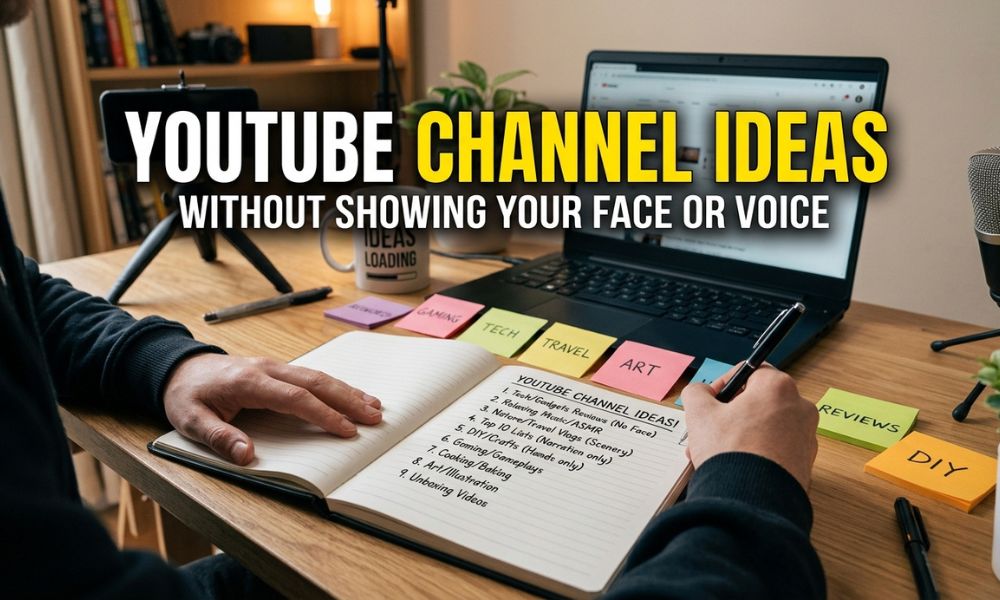
There are many YouTube channel ideas without showing your face or voice that can work for beginners, bloggers, introverts, busy creators, and anyone who wants to create content in a simpler way.
And if you already have a blog, this becomes even easier because you can turn your written content into videos. I talked about this more in my guide on how to turn a blog post into a video, which is one of the simplest ways to repurpose content without starting from zero every time.
Can You Really Start a YouTube Channel Without Showing Your Face or Voice?
Yes, you can.
And honestly, for many beginners, it may even be easier.
Showing your face can build trust faster, but it is not the only way to create valuable content. People go to YouTube for solutions, entertainment, inspiration, tutorials, reviews, relaxation, and ideas.
If your video helps them, they do not always need to see you.
You can create videos using:
- Screen recordings
- Stock videos
- Text overlays
- AI voiceovers
- Subtitles
- Slideshows
- Animations
- Product demos
- Tutorial clips
- Canva videos
- AI-generated visuals
- Simple background music
- Step-by-step visual guides
And if you do not want to use your own voice, you can create silent videos with text, captions, music, or AI voiceover.
For example, tools like Canva, VEED, and Pictory can help beginners create simple videos, edit clips, add captions, or turn written content into video format.
The real secret is not your face.
It is the value.
If your video answers a question, solves a problem, saves someone time, teaches something clearly, or gives them inspiration, it can work.
Why I Like Faceless YouTube Channels for Beginner Bloggers
As a blogger, I love content that can be repurposed.
That means I do not want to create something once and then let it disappear.
- A blog post can become a YouTube video.
- A YouTube video can become a Pinterest pin.
- A Pinterest pin can bring traffic back to the blog.
- A blog post can lead to an email opt-in.
- An email list can later promote a product or affiliate offer.
This is why faceless YouTube content is interesting for bloggers.
You can take one article and turn it into a simple video without needing to record yourself.
For example, if you already wrote a blog post about AI tools for bloggers, you can turn it into a YouTube video like:
7 AI Tools That Help Bloggers Save Time
You can use screen recordings, tool screenshots, simple slides, icons, and text overlays.
That one video can send viewers back to your blog post. And if you are still building your content system, my guide on the best AI tools for bloggers can give you more ideas for tools that help with writing, planning, video creation, SEO, and repurposing.
What Makes a Good Faceless YouTube Channel Idea?
Before jumping into ideas, I would ask myself three questions.
1. Can I make many videos around this topic?
A good channel idea should not be a one-time idea.
You need a topic that can give you 50, 100, or even 200 video ideas over time.
For example, “AI tools for bloggers” can turn into many videos:
- Best AI writing tools
- Best AI tools for Pinterest
- Best AI tools for email marketing
- Best AI tools for SEO
- Best free AI tools for beginners
- AI tools I regret using
- AI tools that save me time
That is a content category, not just one video.
2. Can I create the videos without expensive equipment?
As a beginner, I do not want to buy a camera, microphone, lighting setup, and editing software before I know if the channel will work.
The best faceless YouTube ideas are simple enough to start with:
- Canva
- CapCut
- Screen recording
- Stock videos
- AI tools
- Templates
- Text overlays
- Simple music
- Blog content you already have
If you want AI video creation tools specifically, I also shared more options in my article about the best AI video generator tools, which can help if you want to create videos faster without learning complicated editing software.
3. Can this channel make money later?
Not every channel has to be monetized immediately. But I like to think ahead.
- Can the channel later support affiliate links?
- Can it send traffic to a blog?
- Can it promote digital products?
- Can it grow an email list?
- Can it attract sponsors?
- Can it sell templates, guides, or courses?
If the answer is yes, it is a stronger idea.
This is the same reason I always think about monetization early, even when traffic is still small. If you want to plan your content with income in mind from the beginning, you may also like my guide on how to monetize your blog from day one.
Best YouTube Channel Ideas Without Showing Your Face or Voice
1. AI Tools Tutorial Channel
This is one of my favorite ideas, especially if you already create content about blogging, productivity, or online business.
You can create videos showing how to use AI tools without showing your face.
You do not need to record yourself. You can use screen recordings, text instructions, arrows, highlights, and captions.
Video ideas:
- How to use ChatGPT to write blog outlines
- How to create Pinterest pin titles with AI
- Best free AI tools for beginner bloggers
- How to turn a blog post into a video with AI
- How to create social media captions with AI
- AI tools that save bloggers time
- ChatGPT prompts for blog posts
This type of channel works well because people are actively searching for tool tutorials.
And the best part?
You can connect it naturally to blog posts, affiliate links, and tool reviews. For example, if you create a video about blog writing prompts, you can link viewers to your full guide on ChatGPT prompts for blog posts so they can get more examples.
You can also use the official ChatGPT website to test prompts, create scripts, and outline videos before editing.
2. Blogging Tips Channel
If you already have a blog, this is one of the easiest faceless YouTube ideas to start.
You can turn your blog knowledge into simple educational videos.
You do not need your face or voice. You can use slides, text overlays, screenshots, screen recordings, and simple animations.
Video ideas:
- How to start a blog as a beginner
- Blogging mistakes beginners should avoid
- How to choose a blog niche
- How to write your first blog post
- How to use AI for blogging
- How to make money with a small blog
- How to plan blog content for the month
- How to repurpose blog posts into videos
This channel idea is especially good if you want YouTube to support your website.
Every video can link back to a related blog post.
For example, if your video explains how AI can help beginners write faster, you can naturally mention your full article on AI blog writing in the description.
3. Pinterest Marketing Channel
A Pinterest channel can work very well without showing your face or voice because most of the content is visual.
You can create screen recordings showing Pinterest profiles, pin examples, keyword research, Canva templates, and traffic strategies.
Video ideas:
- How to create Pinterest pins in Canva
- Pinterest SEO for beginners
- Best Pinterest niches for bloggers
- How to find Pinterest keywords
- Pinterest mistakes that hurt your traffic
- How to make Pinterest video pins
- Pinterest affiliate marketing tips
- How to schedule pins faster
This is a good idea because Pinterest users and bloggers often search for practical tutorials.
You can also connect the channel to blog posts, templates, and digital products. For example, if you create a tutorial about Pinterest keywords, you can refer viewers to your guide on Pinterest SEO. If your video is more about growing traffic, you can connect it to your Pinterest marketing strategy article. And if the video talks about earning from Pinterest, your post about Pinterest affiliate marketing fits naturally.
You can also use Pinterest Business resources to understand how Pinterest works for creators and brands.
4. Software Review Channel
This is a great faceless YouTube channel idea if you like testing tools.
You can review blogging tools, AI tools, SEO tools, writing tools, video tools, design tools, automation tools, and productivity apps.
You do not need to show your face. You can record your screen while using the tool and add text explanations.
Video ideas:
- Best AI writing tools for bloggers
- Canva vs other design tools
- Best AI SEO tools for beginners
- Best free social media tools
- Best Lumen5 alternatives
- Best video tools for faceless channels
- Best automation tools for bloggers
- Best AI tools for small business
Software review channels can also work well with affiliate marketing because many tools have partner programs.
But I would be careful here.
Do not recommend tools just because they pay commissions. Recommend tools that actually help beginners save time, money, or effort.
That is the kind of trust that matters long term.
If you want to build this type of channel, you can turn your existing comparison posts into videos. For example, you can repurpose articles like best AI writing tools, best AI SEO tools, or ChatGPT alternatives for content creators into screen-recorded YouTube videos.
5. List-Style Educational Channel
This is one of the easiest channel formats if you do not want to show your face or voice.
You create videos built around lists.
For example:
- 7 free AI tools for bloggers
- 10 online business ideas for beginners
- 5 mistakes new YouTubers make
- 9 ways to save time as a content creator
- 12 faceless YouTube channel ideas
- 8 digital products you can create with AI
- 6 websites every blogger should know
The video format is simple.
You can use stock videos, icons, text overlays, simple transitions, and background music.
This type of video is beginner-friendly because you do not need complicated storytelling. You just need a clear title, useful points, and clean visuals.
This can also connect nicely with list-style blog posts. For example, if you create a video about growing an email list, you can direct viewers to your article on lead magnet ideas.
6. Digital Product Ideas Channel
This is a smart idea if you are interested in creating income from templates, printables, guides, ebooks, or online resources.
You can create videos about digital product ideas without showing your face or voice.
Video ideas:
- Digital products that beginners can create
- Canva template ideas to sell online
- Ebook ideas for bloggers
- Printable ideas for busy moms
- Notion template ideas
- Lead magnet ideas for bloggers
- How to create a simple digital product
- How to sell digital products with a blog
This channel can connect very naturally to your own products later.
You can start by teaching ideas, then later create your own templates or guides.
And if you already have a post about digital product ideas for bloggers, that article can become several faceless YouTube videos.
You can also use Etsy, Gumroad, or Payhip to research how creators sell digital products online.
7. Website and WordPress Tutorial Channel
This is a practical, faceless YouTube channel idea because people often search YouTube when they are stuck.
They do not always want entertainment. They want a solution.
You can record your screen and show simple tutorials.
Video ideas:
- How to install a WordPress theme
- How to create a blog menu
- How to add a contact form
- How to speed up a WordPress site
- How to create blog categories
- How to use plugins for beginners
- How to automate WordPress tasks
- How to create a landing page
You can create these videos with only screen recording and text instructions.
No face. No voice.
Just clear steps.
This type of channel is perfect if you already write about blogging tools, website setup, and WordPress automation.
You can also link to WordPress.org when explaining free WordPress tools, plugins, or website basics.
8. Productivity and Automation Channel
This is another great faceless YouTube idea because it works well with screen recordings and visual workflows.
You can teach people how to save time using tools like automation apps, planners, AI assistants, and templates.
Video ideas:
- How to automate blog tasks
- Best automation tools for beginners
- How to use Zapier for content creators
- Simple workflows for bloggers
- How to plan content with Notion
- How to organize blog ideas
- AI workflows that save time
- How to batch content faster
This topic fits perfectly with the “save time and money” persona.
Because honestly, most beginner bloggers are not lazy.
They are overwhelmed.
A channel that helps them simplify things can be very useful.
If you already cover automation on your blog, your articles on Zapier AI workflows, Zapier free alternatives, and Zapier vs n8n can make strong video topics.
You can also link externally to Zapier, n8n, and Notion when mentioning the tools.
9. Quotes and Motivation Channel
This is one of the simplest faceless YouTube channel ideas, but it needs good taste to stand out.
You can create short videos with motivational quotes, calm music, aesthetic backgrounds, and simple text animations.
Video ideas:
- Morning motivation quotes
- Productivity quotes for creators
- Blogging motivation
- Small business motivation
- Study motivation
- Self-discipline quotes
- Confidence quotes
- Motivation for beginners
This kind of channel is easy to start, but it can be competitive.
So I would niche it down.
Instead of general motivation, you could make it specific:
- Motivation for bloggers
- Motivation for online business beginners
- Motivation for women creators
- Motivation for students building side hustles
- Motivation for introverts
That makes it more focused.
10. Relaxing or Aesthetic Background Channel
This idea does not require face or voice at all.
You can create calming videos using stock footage, animations, ambient music, and soft text.
Video ideas:
- Cozy work with me background
- Relaxing study music
- Aesthetic desk setup ambience
- Rainy day productivity background
- Calm music for writing
- Coffee shop ambience
- Soft background for bloggers
- Focus music for content creators
This type of channel can be peaceful and simple, but you need to be careful with copyright. Use music and visuals that you have the right to use.
You can find licensed assets on platforms like Pexels, Pixabay, and Envato Elements, depending on your budget and licensing needs.
11. Product Comparison Channel
People love comparison videos because they help them make decisions.
You can create faceless comparison videos using slides, screenshots, screen recordings, pros and cons, and text overlays.
Video ideas:
- Canva vs Adobe Express
- Pictory vs Lumen5
- ChatGPT vs Gemini for bloggers
- Best free AI writing tools
- Best social media schedulers
- Best email marketing tools for beginners
- Best video tools for YouTube Shorts
- Best blogging platforms for beginners
This channel can work well for affiliate marketing because the viewer is already close to making a decision.
But again, trust matters.
Do not make every tool sound perfect. Talk about who it is good for and who should skip it.
For example, a video comparing AI writing tools can naturally link back to your article about ChatGPT vs Gemini for blogging.
12. Faceless Tutorial Channel for Beginners
This can work in many niches.
You can teach small, simple skills using screen recordings, slides, and text.
Examples:
- How to create a resume
- How to make a simple budget sheet
- How to create a digital planner
- How to edit videos in Canva
- How to design a pin
- How to write an email with AI
- How to create a lead magnet
- How to use free online tools
This type of channel is powerful because beginner tutorials are always needed.
Many people do not want advanced lessons. They want someone to explain the basics clearly.
That is where you can win.
And if you like testing productivity tools, you can also turn your article about free personal assistant apps into simple screen-recorded tutorial videos.
How to Make YouTube Videos Without Showing Your Face or Voice
Here is a simple beginner workflow.
Step 1: Choose one simple video idea
Do not start with a huge, complicated video.
Start with something like:
7 YouTube Channel Ideas Without Showing Your Face or Voice
Simple. Clear. Searchable.
Step 2: Write a short script
Even if you are not using your voice, you still need a script.
Your script can become the text on screen.
Example:
“Want to start YouTube but do not want to show your face or record your voice? Here are 7 beginner-friendly channel ideas you can start with simple tools.”
Step 3: Create the visuals
You can use:
- Canva slides
- Stock videos
- Screen recordings
- Icons
- Screenshots
- Simple animations
- AI-generated visuals
- Text overlays
Step 4: Add captions or text
If you are not using voice, text becomes very important.
Make sure the viewer can understand the video without sound.
Step 5: Add background music
Use safe music that you have permission to use.
Keep the volume low and comfortable.
Step 6: Export and upload
Upload the video with a clear title, description, and thumbnail.
Do not overthink the first video.
The first few videos are practice.
Best Tools for Faceless YouTube Channels
You do not need many tools to start.
A simple beginner stack could be:
- Canva for video templates and visuals.
- CapCut for editing short videos.
- ChatGPT for scripts and video outlines.
- Pictory for turning blog posts into videos.
- VEED for captions and editing.
- YouTube Studio for uploading and tracking performance.
You can access these tools directly through Canva, CapCut, ChatGPT, Pictory, VEED, and YouTube Studio.
If you are a blogger, I would also keep a simple content tracker.
You can track:
- Video title
- Target keyword
- Related blog post
- Thumbnail status
- Script status
- Upload date
- Links added
- Performance notes
This helps you stop guessing and start building a system. You can even use an AI helper or one of the tools from my free AI virtual assistant guide to organize video ideas and repurposing tasks.
My Favorite Faceless YouTube Ideas for Bloggers
If I were choosing for a beginner blogger, I would start with one of these:
AI tools tutorials
Because people search for them, and they connect well with affiliate links.
Blogging tips
Because you can repurpose your blog content easily.
Pinterest marketing tutorials
Because many bloggers want traffic and need simple visual explanations.
Software reviews
Because they can support affiliate income later.
Digital product ideas
Because they connect naturally to templates, guides, and email list growth.
These ideas are not only faceless. They also make sense for a blogger who wants YouTube to support a website, not become a completely separate job.
Mistakes to Avoid With Faceless YouTube Channels
Choosing a topic only because it looks popular.
If you hate the topic, you will stop after five videos.
Choose something you can keep researching and explaining.
Relying too much on AI without adding useful structure.
AI can help you write scripts and create ideas, but your video still needs a clear purpose.
Making videos too generic
Instead of:
Best AI tools
Try:
Best AI Tools for Beginner Bloggers Who Want to Save Time
That is more specific and easier to connect with the right audience.
Ignoring thumbnails.
Even faceless videos need good thumbnails. A simple, clean thumbnail can make a big difference.
Trying to be perfect before publishing.
Your first videos will not be perfect.
That is normal.
The goal is not to create a perfect channel in week one. The goal is to learn what topics people click, what videos you enjoy making, and what workflow you can repeat.
Final Thoughts: You Can Start YouTube Without Showing Your Face or Voice
Starting a YouTube channel without showing your face or voice is not only possible. It can be a smart way to begin.
Especially if you are a blogger, an introvert, a beginner creator, or someone who wants to build content without feeling exposed online.
You can start with simple videos, text overlays, screen recordings, templates, stock footage, and AI tools.
- You do not need a camera.
- You do not need a microphone.
- You do not need a studio.
- You do not need to be confident on camera.
You need a clear idea, a simple workflow, and enough consistency to keep improving.
If I were starting from zero, I would choose one topic, create 10 simple video ideas, make the first video with Canva or screen recording, and improve from there.
Do not wait until you feel ready to show your face.
You can start with the tools, skills, and confidence you have now.
And that is the kind of content system I love most: simple, affordable, beginner-friendly, and realistic.