
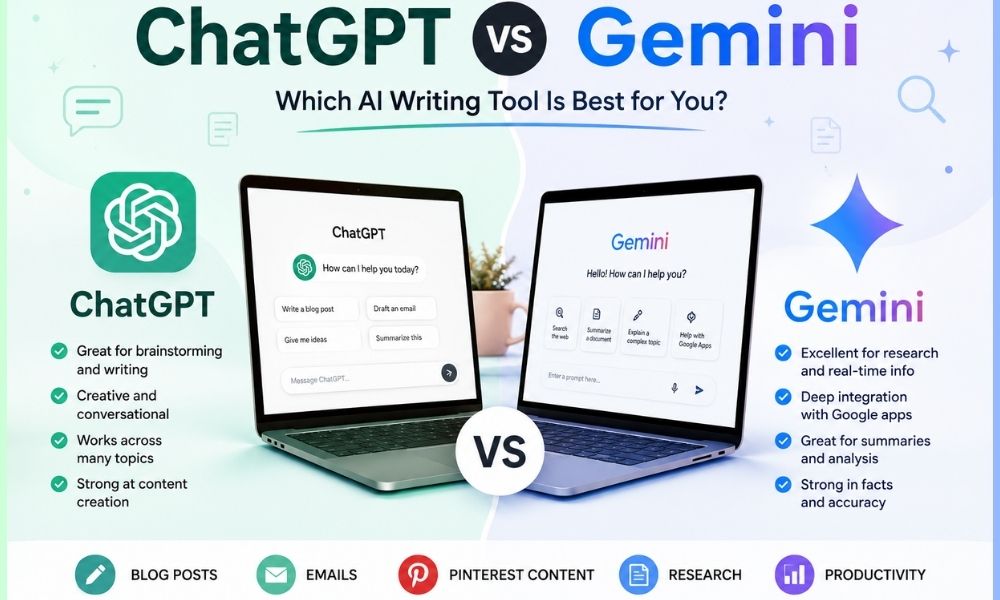
As a beginner blogger, small website owner, or content creator, choosing the right AI writing tool can feel overwhelming. With so many AI platforms promising to make content creation easier, it’s difficult to know which one is truly worth your time. Two of the most discussed options today are ChatGPT and Gemini. In this article, we’ll compare chatgpt vs gemini for blogging, exploring their strengths, weaknesses, and practical applications. This guide is written from hands-on experience, aiming to help beginners and non-technical users make an informed choice without drowning in technical jargon or hype.
Overview: What Are ChatGPT and Gemini?
ChatGPT
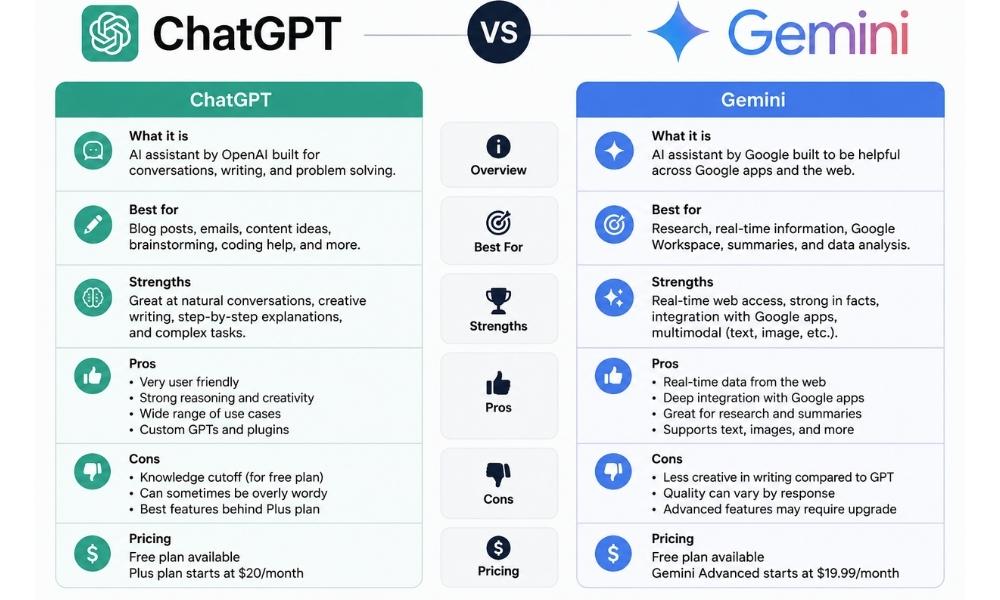
ChatGPT, developed by OpenAI, is one of the most widely adopted AI text generators. It’s primarily a conversational AI, which means it excels at generating text in a way that feels natural and human-like. Its accessibility and versatility have made it popular among bloggers, marketers, and small business owners.
- Ease of Use: Very simple. You can start drafting posts directly in the browser or through WordPress plugins without any setup.
- Cost: Free tier available with optional paid plans for faster response times and extended capabilities.
- Output Quality: Produces coherent, readable text, but requires editing for style, tone, and factual accuracy.
- Best For: Quick drafts, brainstorming topics, generating social media content, or creating email newsletters.
Gemini
Gemini, developed by Google DeepMind, is designed to provide more structured and research-driven AI writing. While newer and less familiar to casual users than ChatGPT, it includes features aimed at content creators who need precise, well-organized outputs.
- Ease of Use: Requires more learning than ChatGPT due to advanced settings and integration options.
- Cost: Free to use for casual writing, with paid Google AI plans unlocking higher usage limits, more advanced models, and deeper integration with Workspace apps like Docs and Gmail.
- Output Quality: High-quality, often more formal and structured than ChatGPT. Can produce detailed long-form articles with coherent sections and subheadings.
- Best For: Technical blogs, data-driven content, or content that benefits from a structured format and research references.
Technical Setup and Workflow
WordPress Integration
One of the key considerations for bloggers is how easily the AI tool integrates into WordPress:
- ChatGPT: You can use the ChatGPT web interface, the official OpenAI API, or lightweight WordPress plugins that allow drafting and editing directly in your WordPress dashboard. The plugins typically allow you to insert generated content, format headings, and adjust paragraphs without leaving WordPress.
- Gemini: Gemini’s API can connect to WordPress, Notion, Google Docs, or other platforms. While setup requires API keys and understanding of prompts, it allows advanced workflows such as scheduling content drafts, automatically structuring posts with headings, and even integrating with research or SEO tools.
Practical Blogging Workflow
Here’s a workflow example for using AI effectively in blogging:
- Start with a post outline: manually or with AI. Example: list subheadings like “Introduction,” “Technical Details,” “Use Cases.”
- Generate a draft: ChatGPT is great for a conversational tone; Gemini works well for structured, research-backed content.
- Edit for human voice: remove repetitive phrases, adjust tone to match your audience, and ensure readability.
- Optimize SEO: add meta descriptions, alt text for images, internal and external links, and naturally place keywords.
- Fact-check: especially important if using Gemini for research-oriented posts. Verify statistics, examples, and links.
- Format for WordPress: adjust headings (H2/H3), lists, tables, and images to make the post visually appealing.
- Schedule or publish: optionally integrate with plugins that allow auto-publishing or social media sharing.
This workflow can be automated partially using plugins or APIs, but beginners should focus first on learning content quality control before attempting full automation.
Cost and Learning Curve
Budget and ease of learning are critical for new bloggers.
- ChatGPT: Offers a free tier suitable for most beginners. Paid tiers give faster responses, priority access, and sometimes additional templates for structured writing. The interface is intuitive and doesn’t require coding knowledge.
- Gemini: Free to start, with optional paid tiers for higher usage limits and API access for automating content flows. It requires understanding of structured prompts and might take time to learn how to instruct the AI for specific blog formats.
For bloggers concerned about costs and time investment, ChatGPT provides immediate results with minimal setup. Gemini pays off when you need structured, research-driven content and can afford the time to learn its capabilities.
Quality of AI Writing
Readability and Tone
ChatGPT often produces content that feels conversational, approachable, and beginner-friendly. It’s suitable for lifestyle blogs, tutorials, and personal storytelling. Gemini, on the other hand, tends to produce formal, analytical content. This makes it better for technical blogs, professional articles, or content that benefits from structure and references.
Maintaining a Human Voice
No AI tool writes perfect human-like content every time. Here are tips to keep your posts natural:
- Edit generated drafts to remove repetitive phrases.
- Add personal anecdotes, examples, or experiences.
- Break text into smaller paragraphs and lists for readability.
- Use AI as a co-writer rather than the sole author.
Technical Features and Control
Here’s a deeper comparison of capabilities:
- Prompt Customization: ChatGPT responds well to simple prompts but can require iterative refining for specific tone. Gemini allows more structured prompts, such as defining content sections, word counts, and style levels.
- Formatting: Both tools can produce headings, bullet points, and numbered lists. Gemini may be better if you want clearly segmented sections for research-based articles.
- Integration: ChatGPT works with WordPress plugins and Zapier for light automation. Gemini supports API-based automation with advanced workflows connecting multiple platforms.
- SEO Support: Neither tool is a full SEO solution. You’ll need to manually optimize for keywords, headings, meta descriptions, and links. However, AI can suggest keywords and headings if prompted correctly.
Automation and Bulk Content
Scaling Content Creation
If you manage multiple blogs or social media accounts, AI can help speed up content production:
- ChatGPT: Best for quickly drafting multiple articles or social media posts. Ideal for experimentation and casual blogging. You may need plugins to push content directly to WordPress.
- Gemini: Allows structured bulk content creation with scheduled drafts and research integration. Useful if you maintain professional blogs, need citations, or want semi-automated multi-platform content.
Common Automation Challenges
- AI-generated drafts may need significant editing before publishing.
- Formatting inconsistencies may occur when moving content from AI to WordPress.
- Fact-checking is critical; AI can hallucinate information or provide outdated stats.
- Over-automation can lead to generic content that loses your unique voice.
My Honest Take
Based on practical experience:
- ChatGPT: Ideal for beginners and small blogs. Quick, easy, and forgiving. Great for personal voice, informal tutorials, and rapid content generation. It’s particularly helpful if your focus is on engagement rather than research-heavy posts.
- Gemini: Works well for bloggers needing structured, professional articles with research. It’s slightly harder to learn, and output can feel formal, but it’s excellent for technical, analytical, or multi-section content. Ideal for writers who want AI to assist with structure and research references.
- Neither tool is a full replacement for human editing. Expect to refine tone, style, and accuracy. Using both together can be effective: ChatGPT for brainstorming and conversational drafts, Gemini for structuring and research validation.
Common Mistakes to Avoid
- Blindly publishing AI content: Always review for tone, grammar, factual accuracy, and engagement.
- Neglecting SEO: AI doesn’t automatically optimize for search engines. Adjust headings, meta descriptions, and internal links manually.
- Overcomplicating automation: Start simple. Bulk AI content without editing often reduces quality rather than saving time.
- Mixing AI voices inconsistently: Using multiple AI tools without aligning style can confuse your audience and weaken brand voice.
Best Use Cases
ChatGPT is best if:
- You want a simple, fast way to draft posts.
- Your blog focuses on lifestyle, tutorials, or personal storytelling.
- You are experimenting with AI and learning the ropes.
Gemini is best if:
- You need structured content for technical, professional, or research-oriented blogs.
- You plan to automate parts of your workflow with multiple integrations.
- You want AI assistance for long-form, multi-section articles with references.
Next Steps
If you are unsure which tool to pick, start small. Use ChatGPT to draft a few posts and see how it fits into your workflow. Experiment with Gemini for more structured articles or research-heavy content. Over time, your experience will reveal which tool complements your blogging style. Remember, AI tools are here to support your creativity, not replace it.
For additional AI writing options, practical reviews, and workflow tips, explore Best AI Writing Tools and Best AI Tools for Bloggers. These resources can help you discover plugins, automation strategies, and tips to maximize content creation efficiency.
Conclusion
Comparing chatgpt vs gemini for blogging isn’t about finding a single “best” tool. ChatGPT excels in ease, speed, and conversational tone, making it perfect for beginners and casual blogging. Gemini shines with structured, research-driven content and integration options, suitable for professional bloggers and multi-platform workflows. The ideal approach may be to leverage both: use ChatGPT for brainstorming and fast drafts, then refine or structure content with Gemini. Always edit, fact-check, and personalize content to maintain a human voice. Your choice should align with your blogging style, technical comfort, and content goals.
Start experimenting, measure how each tool saves time or improves output quality, and gradually build your AI-assisted blogging workflow. This hands-on approach ensures your content remains authentic, helpful, and engaging while benefiting from AI efficiency.