
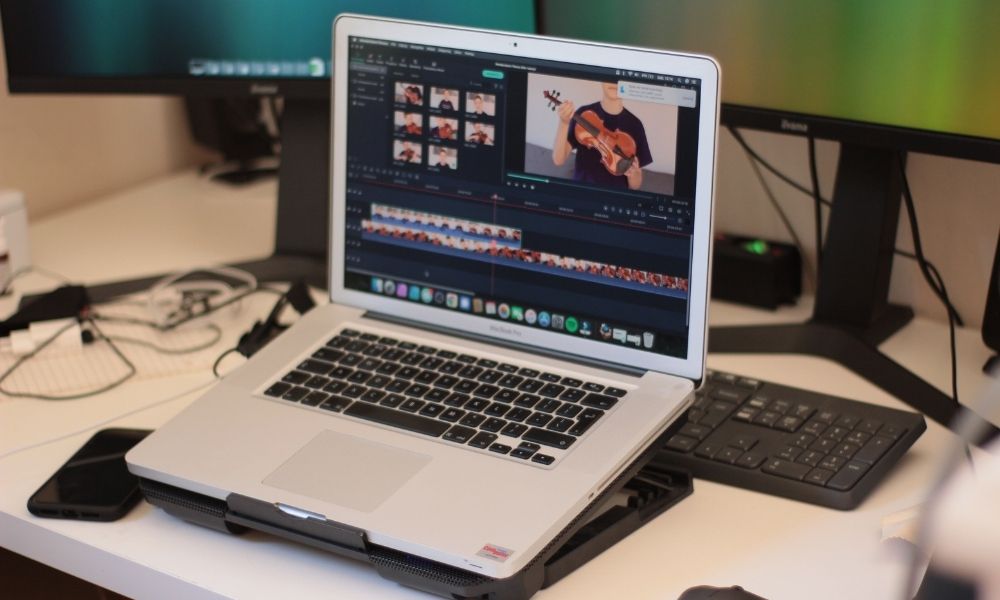
Once I began building more content for my blog, I noticed a frustrating pattern: I could spend hours researching and writing one useful article, publish it, create a Pin or social post, and then move directly to the next article.
The content was useful, but I was not giving it enough opportunities to reach people.
Video kept appearing everywhere in the conversation around content growth: short tutorials, Pinterest video Pins, Instagram Reels, YouTube Shorts and Facebook video posts. But as a solo blogger, I did not want to create an entirely separate video-content business on top of writing articles.
I did not want to:
- film myself every day;
- learn complicated editing software;
- write a new script from scratch for every platform;
- pay for several video tools before knowing whether they helped;
- turn my blog workflow into something exhausting.
What I wanted was much simpler:
Could I take an article I had already written and turn that blog post to video content without starting the creative process all over again?
That question is what led me to explore article-to-video tools and build a simpler repurposing workflow.
This article is not about pretending AI can turn every blog post into a perfect video with one click. It cannot. A full article usually contains far more information than a short video should include.
But AI can help extract the strongest idea, create a first storyboard, suggest visuals, add captions, and reduce the amount of manual work required.
For bloggers who already spend time producing useful written content, it can make video feel much more manageable.
What Does “Blog Post to Video” Actually Mean?
A blog post to video workflow means taking an existing written article and adapting it into video content.
That video could be:
- a short Pinterest video Pin
- an Instagram Reel;
- a TikTok explainer;
- a YouTube Short;
- a Facebook video post;
- a longer YouTube summary;
- a simple, faceless tutorial with captions and voiceover.
The important word is adapt.
A video should not simply display the entire article line by line. A blog post may explain a topic in detail, while a social video usually needs one clear hook, a few important points, and a reason for viewers to read the full article.
Example
Suppose I have an article called:
Pinterest Affiliate Marketing for Bloggers: Can It Really Make Money Without Paying for Ads?
That article could become several videos:
| Video Angle | Possible Hook |
|---|---|
| Beginner explainer | Can bloggers really earn through Pinterest affiliate links? |
| Myth-busting short | Pinterest affiliate marketing is not instant passive income |
| Tutorial clip | 3 things to do before adding affiliate links to Pinterest |
| Traffic-focused video | Why I send Pinterest readers to a helpful blog article first |
The original blog post becomes the source material, but each video focuses on one digestible angle.
This is the same principle I use when creating several Pin designs from one article in my Pinterest marketing strategy for bloggers: one strong article can support several pieces of promotional content when each one has a clear audience and purpose.
Why Bloggers Should Repurpose Articles Into Video
For me, converting written content into video is not about abandoning blogging.
It is about making each article work harder.
A blog post can contain research, structure, examples, and a useful point of view. Turning part of that content into a video gives me new ways to attract readers without needing a completely new topic every time.
A Blog Post Can Become:
- a 30-second summary video;
- a tutorial Reel;
- a Pinterest idea video;
- a short list-style clip;
- a question-and-answer video;
- a myth-versus-reality post;
- a visual teaser that links back to the full article.
This is especially useful for content topics that are naturally visual or problem-focused, such as:
- AI tool comparisons;
- Pinterest tutorials;
- blog monetization advice;
- social media workflow tips;
- product demonstrations;
- step-by-step blogging guides.
For example, my article about best AI video generator tools for faceless content creators is itself the kind of topic that could be repurposed into short videos comparing formats, features, or use cases.
The Honest Limitation: A Video Is Not an Automatic Traffic Machine
This is where I think many content-tool articles become too optimistic.
Turning a blog post into a video does not automatically mean the video will perform well.
A generated video may still fail because:
- The opening is too slow.
- The visuals feel generic.
- The voiceover sounds unnatural.
- The video includes too much information.
- Captions are difficult to read.
- The platform audience is not interested in the topic.
- There is no clear reason to visit the article.
AI can reduce editing time, but it does not replace the decision-making behind useful content.
For me, the real value is not “publish unlimited videos instantly.”
The value is:
Take a strong article, choose one useful angle, turn it into a simple video more quickly, then learn from what viewers actually respond to.
Step 1: Choose Blog Posts That Can Become Good Videos
Not every article needs video promotion.
I would start with blog posts that contain:
- clear steps;
- short lists;
- a before-and-after idea;
- a common mistake;
- a tool comparison;
- a strong question;
- a simple visual lesson.
Articles That Are Easy to Turn Into Video
| Article Type | Video Format That Fits |
|---|---|
| “5 best tools” article | Fast list-style video |
| How-to tutorial | Step-by-step explainer |
| Tool review | Pros, cons and verdict clip |
| Strategy article | One mistake or one key tip |
| Monetization article | Myth-versus-reality short |
| Comparison article | Side-by-side video |
For example, an article on social media management platforms for bloggers could become:
Buffer vs Metricool: Which One Would I Choose as a Budget-Conscious Blogger?
That is far stronger as a short video than trying to summarize the entire article in one clip.
Step 2: Reduce the Article to One Video Message
The biggest mistake I would avoid is asking an AI tool to turn a full 2,000-word article directly into a 30-second video without deciding what matters first.
Before creating a video, I choose one message.
My Simple Video Script Formula
For short-form videos, I would use:
- Hook: What problem does the viewer recognize immediately?
- Value: What are the two or three points they need?
- Next step: Why should they read the article or save the idea?
Example: Blog Monetization Video
Article: How to Monetize Your Blog From Day One
Hook:
“Waiting for thousands of visitors before trying to monetize your blog?”
Value:
“Start with affiliate-ready content, an email list, and one simple digital product idea. Ads can come later as traffic grows.”
Next step:
“Read the full beginner strategy on the blog.”
That is enough for a useful short video. It does not need to carry the entire article.
This approach also protects quality. If I use AI for writing support, I still want the final message to sound clear and natural, just as I explain in my guide to AI blog writing, without sounding robotic.
Step 3: Decide Whether You Need URL-to-Video or Script-to-Video
Not every video tool handles blog content in the same way.
There are two practical workflows:
| Workflow | How It Works | Best For |
|---|---|---|
| URL-to-video | Paste the published article link and let the tool extract content | Fast first draft from an existing post |
| Script-to-video | Write or paste a short adapted script first | Better control over short social videos |
My Preference
For a quick first test, URL-to-video is convenient.
But for videos I actually plan to publish, I prefer adapting the article into a shorter script first. That helps me control:
- the opening hook;
- the amount of information;
- the tone;
- the call to action;
- The length of the final video.
A tool can summarize an article, but it does not always know which part matters most to my audience.
Tools That Can Help Turn a Blog Post Into Video

I would not choose a tool simply because it says “AI video generator.” The useful question is whether it supports the actual workflow I need: article conversion, captions, visuals, voiceover, and easy editing.
1. Pictory: Best for Turning a Published Article URL Into a Video Draft
Official tool: Pictory Text to Video
Official pricing: Pictory Pricing
Pictory is one of the clearest options for this exact use case because its official platform specifically includes a URL to Video and says it can convert blog links and web pages into videos with visuals, captions, and AI voices.
According to Pictory, its text-to-video workflow can turn articles and blog posts into video content, while the URL-to-video option is designed for converting a blog post or webpage directly into a video draft. Pictory also includes automatic captions, stock assets, AI voices, branding options, and exports in landscape, portrait, and square formats. (Pictory Text to Video) (Pictory Pricing)
Why It Fits Bloggers
Pictory makes sense when I already have a published article and want to see how it might translate into scenes.
I could paste a URL, review the generated storyboard, remove unnecessary scenes, adjust captions, and export a shorter video for social media.
Budget Note
Pictory currently offers a 14-day free trial. Its Starter plan is listed from $25 per month and includes 200 video minutes per month, one brand kit, and 1080p export. (Pictory Pricing)
My Take
Pictory looks like the strongest match for bloggers whose main goal is turning existing articles into initial video drafts quickly. I would use the trial on real published posts before deciding whether the monthly price is worth it.
2. VEED: Best for Turning Article Text Into a Video and Then Editing It
Official tool: VEED Article to Video
Official pricing: VEED Pricing
VEED offers an article-to-video tool that is designed to turn written articles into videos using AI tools, stock media, music, voiceover, and editing features.
Its official instructions are straightforward: choose a video type, customize details such as aspect ratio, voice or subtitle style, paste the article into the script area, generate the video, then download it or continue refining it inside the editor. (VEED Article to Video)
Why It Fits Bloggers
VEED appeals to me when editing control matters.
A first AI-generated draft may be useful, but I will probably still want to:
- shorten scenes;
- change stock footage;
- correct captions;
- add branding;
- improve timing;
- adjust music;
- export for different channels.
VEED is particularly practical when I want the generated video to become a polished social clip rather than simply accepting the first automatic result.
Budget Note
VEED states that its article-to-video generator uses AI credits and recommends checking the available allowance on the selected plan. It also notes that premium subscribers receive fuller access to features such as its stock library and Brand Kit. (VEED Article to Video)
My Take
VEED feels useful for bloggers who want AI help with the first version but still care about refining the final video inside a proper editor.
3. InVideo AI: Best for Prompt-Led Social Video Experimentation
Official website: InVideo AI
Official pricing: InVideo AI Pricing
InVideo AI is broader than a simple blog-post converter. Its current platform includes AI video generation, text-to-video, AI avatars, subtitles, voice tools, and access to multiple generative media models on paid plans.
The pricing page states that paid plans provide access to more than 200 image, video, audio, and music models, as well as its AI agent for creating longer videos from a prompt. Credits are used across video creation and generative features, and unused credits do not roll over to the next month. (InVideo AI Pricing)
Why It Fits Bloggers
I would consider InVideo when I want to turn an article idea into a more creative social video rather than simply importing a published URL.
For example, I could take an article about Pinterest affiliate marketing and prompt a short video around one question:
“Create a 30-second vertical educational video for bloggers explaining why Pinterest affiliate marketing is not instant passive income.”
That may work better than asking a tool to summarize the entire article.
My Take
InVideo AI is interesting for experimenting with prompt-led social videos and faceless content. For a direct “paste the article link and build a video” workflow, Pictory appears more specifically aligned.
My Practical Blog Post to Video Workflow
After looking at these options, I would not begin by converting every article into a video.
I would start with a small repeatable system.
Step 1: Choose One Strong Article Per Week
I would select an article that already has:
- a clear problem;
- an appealing headline;
- a useful takeaway;
- potential for a visual format.
Step 2: Create Two Short Video Angles
Instead of making one long summary, I would choose two short angles.
Example for a Pinterest marketing article:
- Video 1: Three Pinterest mistakes new bloggers make.
- Video 2: How I plan Pins without creating content every day.
Step 3: Prepare a Short Script
I would keep the script between 60 and 120 words for a short social video.
That is enough to deliver one useful idea without overwhelming the viewer.
Step 4: Generate the First Video Draft
I would use:
- Pictory when starting from a live article URL.
- VEED when I want editing and subtitle control.
- InVideo AI, when I want a more prompt-led creative video concept.
Step 5: Edit the AI Choices
Before publishing, I would check:
- Are the visuals relevant?
- Is every caption correct?
- Is the first three seconds strong?
- Does the voice sound natural?
- Is the video too long?
- Does the call to action accurately match the article?
- Is the format right for the platform?
Step 6: Publish and Reuse the Video
One useful video can potentially be adapted for:
- Pinterest;
- Instagram Reels;
- Facebook;
- TikTok;
- YouTube Shorts.
For scheduling completed promotional content, a suitable tool from my guide to social media management platforms for bloggers may help keep the publishing process organized.
How to Write a Short Video Script From a Blog Post
This is the part I would not leave fully to automation.
A useful short video script is usually much shorter and more direct than a blog introduction.
Example: Turning an AI Tools Article Into Video
Blog Article:
Best AI Tools for Bloggers and Small Creators
Video Hook:
“Using too many AI tools can waste more time than it saves.”
Main Points:
“Start with one tool for writing, one for visuals and one for scheduling. Choose tools that solve a task you already repeat every week—do not pay for features you may never use.”
Call to Action:
“Read the full comparison before subscribing to another tool.”
Example: Turning a Pinterest Article Into Video
Blog Article:
Pinterest Marketing Strategy for Bloggers
Video Hook:
“Posting one Pin for a new blog article is not a strategy.”
Main Points:
“Create several Pin angles from one evergreen post, use keywords naturally, and watch outbound clicks—not only impressions.”
Call to Action:
“See the full Pinterest workflow on the blog.”
This kind of script creates curiosity while still giving genuine value.
What I Would Not Do When Turning Blog Posts Into Video
I Would Not Convert Every Article Automatically
Some articles are better as written guides. Video should be used where the idea can be shown, summarized or turned into a clear short lesson.
I Would Not Publish the First AI Draft Without Editing
AI may choose visuals that are too generic, captions that are too long or a voice that does not fit the brand.
I Would Not Expect Video to Replace SEO or Pinterest Planning
Video is another discovery format. It works best alongside useful blog articles, strong internal linking, search-focused content, and consistent Pinterest promotion.
I Would Not Pay for a Tool Before Using It With Real Articles
A demo video may look impressive, but I need to know whether the tool handles my actual blog topics, my preferred style, and my posting schedule.
I Would Not Make Misleading Videos About Income or Results
If I create content about blogging income, affiliate marketing or AI tools, the video should stay realistic. A dramatic income dashboard or exaggerated success promise may gain attention, but it damages trust.
Which Tool Would I Choose First?
For the specific keyword and workflow of blog post to video, my first choice would be:
Pictory
The reason is simple: it is the most directly focused on turning article links and written blog content into video drafts.
I could paste a published article URL, see how the platform breaks it into scenes, edit the generated captions and decide whether the result is worth adapting for Pinterest or another social platform.
My second choice would be VEED if I wanted more comfort editing and refining the final video in one workspace.
I would consider InVideo AI for more creative prompt-based social videos, especially when I want to develop a new video angle from an article rather than convert the article itself.
| Need | Tool I Would Try |
|---|---|
| Turn a published article URL into a video draft | Pictory |
| Generate from text and refine inside an editor | VEED |
| Create prompt-led faceless social video ideas | InVideo AI |
| Add social captions and promotional variations | Explore AI social media post tools |
| Compare broader faceless-video tools | Read best AI video generator tools |
Final Thoughts
Turning a blog post to video is not about replacing written content or creating a completely new workload.
For a blogger, it is about reusing the work that already exists.
A carefully researched article may contain several video opportunities: a quick tip, a common mistake, a question, a comparison, or a short tutorial. AI tools can help turn those ideas into a first visual draft with captions, footage, and voiceover, even when the blogger does not want to film herself or learn advanced editing.
But the strategy still needs a human decision at the center.
I need to choose the right article, reduce it to one clear message, edit the first generated draft and publish the video in a way that supports the original content rather than distracting from it.
For my own workflow, I would start small: one strong article, two short video angles and one tool trial before paying for anything.
Because the goal is not to create more content just for the sake of having video.
The goal is to help a useful blog post reach more people—without making the content process heavier than the blog itself.